
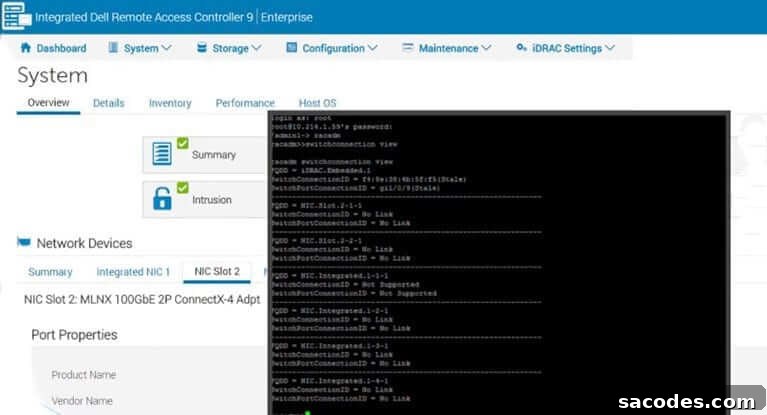
Independent security researchers have identified a serious vulnerability in IDRAC9. This vulnerability could allow an attacker to gain unauthorized access to the iDRAC interface and, potentially, take control of affected servers. According to the vendor, DELL has released an update that addresses this issue for the iDRAC9 release; however, the company has not provided guidance or fixes for older iDRAC versions. For reference, Dell’s advisory is available at:
https://www.dell.com/support/article/en-us/sln322125/dsa-2020-128-idrac-local-file-inclusion-vulnerability?lang=en
Because remote management interfaces like IDRAC9 provide powerful control over server hardware and firmware, any weakness in their security poses a high risk. Organizations should prioritize assessment and remediation to reduce exposure. Below is a practical, prioritized set of measures recommended by the vendor and security best practices for administrators responsible for iDRAC-managed systems.
1. Use a separate management network for IDRAC and block external access to that network.
Keep iDRAC interfaces isolated from general user or public networks. Place them on a dedicated VLAN or physically separate network segment and ensure there is no direct exposure to the internet. Restrict routing between the management network and other network zones to minimize attack surface.
2. Enforce access control with a firewall or network access control points.
Apply firewall rules to limit which hosts and subnets can reach the iDRAC IP addresses. Allow connections only from trusted jump hosts or administrator workstations. Implement strict allowlists rather than broad allow rules and log all accepted and denied connections for audit and incident response.
3. Require modern, strong encryption: enable TLS 1.2 or higher and strong ciphers (256-bit where supported).
Disable older protocols and weak cipher suites. Configure iDRAC and any intermediary devices to use TLS 1.2 or TLS 1.3 and select robust cipher suites to protect management traffic from interception or tampering.
4. Enable IP range filtering to restrict which IP addresses may connect to the iDRAC interface.
Where supported, configure IP address allowlists so only defined ranges or specific management hosts can initiate connections. This reduces the window of opportunity for unauthorized scanning or brute-force attempts from arbitrary IPs.
5. Activate “System LockDown” to prevent unauthorized configuration changes on the server. (This option is available in IDRAC9.)
System LockDown or equivalent features limit what remote management actions can be performed without explicit physical presence or higher privileges. Enabling this protects critical settings and reduces the risk that an attacker who reaches the iDRAC interface can alter firmware, boot settings, or other essential configuration.
6. Integrate iDRAC authentication with centralized identity services such as Active Directory or LDAP.
Using centralized authentication allows administrators to enforce strong, consistent password policies, multi-factor authentication (where available through identity providers), and automated account lifecycle management. Avoid relying on local, shared, or default accounts for privileged access.
7. Keep iDRAC firmware up to date.
Apply vendor updates promptly after verifying them in a test environment and scheduling maintenance windows when necessary. Firmware updates often contain security fixes; maintaining current versions reduces the chance of exposure to known vulnerabilities. Note that some mitigation features listed above may only be available in more recent firmware releases.
In addition to the vendor-recommended steps, administrators should also follow routine operational security practices: change default credentials, disable unused services (for example, virtual media or legacy remote protocols if not needed), limit administrative privileges, regularly review logs and alerts from management interfaces, and include iDRAC endpoints in vulnerability scanning and asset inventories. Finally, plan and test patch deployment procedures so that critical updates can be rolled out quickly and safely across your environment.
Be aware that certain protective features and configuration options may not exist on older iDRAC versions. If running legacy firmware that cannot be updated or does not support specific controls, prioritize network isolation and strict access controls until an upgrade path is available.