
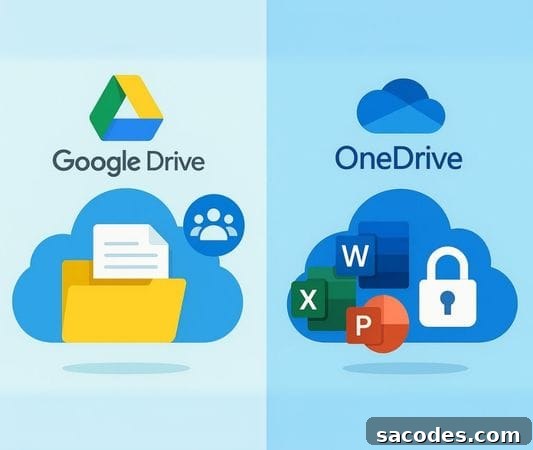
Cloud storage services have become essential for both individual users and businesses. Two of the most widely used options are Google Drive and OneDrive, each offering a rich set of features, strong security measures, and deep integration within their respective ecosystems. A common question is: Which is more practical—Google Drive or OneDrive?
This article provides a clear, SEO-friendly comparison of Google Drive vs OneDrive, examining storage capacity, integration, security, speed, collaboration tools, ease of use, and pricing so you can decide which cloud storage solution best meets your needs.
Google Drive — Key Features
Google Drive is Google’s cloud storage service, tightly integrated with the Google ecosystem.
-
Initial Storage: 15 GB of free storage is provided.
-
Integration: Works seamlessly with Gmail, Google Docs, Sheets, and Slides.
-
Sharing: Files are easy to share via links, with detailed permission controls for viewing, commenting, and editing.
-
Access: Fast synchronization across web, desktop, and mobile apps.
Google Drive’s major advantage is its native compatibility with Google Workspace apps, making it especially convenient for education, small teams, and users who rely on cloud-based collaboration tools.
OneDrive — Key Features
OneDrive is Microsoft’s cloud storage solution, notable for deep integration with Microsoft 365 and Office applications.
-
Initial Storage: 5 GB of free storage is provided.
-
Integration: Strongly integrated with Word, Excel, PowerPoint, and Outlook.
-
Sharing: Files can be shared via links, with granular access controls.
-
Security: Includes ransomware detection, file recovery, and a Personal Vault for sensitive files.
OneDrive stands out for organizations and users committed to the Microsoft ecosystem, delivering a seamless experience for Office users and enterprise environments.
Storage Comparison
-
Google Drive: Offers 15 GB of free storage, but this quota is shared across Gmail and Google Photos and can fill up quickly.
-
OneDrive: Offers 5 GB of free storage. Paid Microsoft 365 subscriptions usually include 1 TB or more of storage alongside Office applications.
In short, Google Drive is often more attractive for free-tier users due to its larger initial allowance, while OneDrive becomes more advantageous for paid users who want bundled storage with Office apps.
Collaboration and Integration
Google Drive
-
Real-time collaboration through Google Docs, Sheets, and Slides.
-
Multiple users can edit the same document simultaneously with live changes.
-
Widely used in educational settings and for cloud-first workflows.
OneDrive
-
Seamless integration with Word, Excel, and PowerPoint.
-
Changes in documents sync directly with desktop Office applications.
-
Well-suited for corporate workflows and organizations that rely on desktop Office tools.
Both platforms support strong collaboration, but they serve slightly different preferences: Google Drive excels at cloud-native collaboration, while OneDrive shines for users who prefer desktop Office integration.
Security Comparison
-
Google Drive: Protects user data with two-step verification, SSL encryption, and regular security updates.
-
OneDrive: Provides advanced features such as ransomware detection, file recovery, and a Personal Vault for added protection.
Overall, OneDrive offers several advanced security features that may be particularly relevant for business and enterprise users, while Google Drive maintains strong baseline protections and compliance features suitable for many individual and organizational needs.
Ease of Use and Performance
-
Google Drive: Clean interface and excellent mobile support make it user-friendly for individuals and on-the-go usage.
-
OneDrive: Deep integration with Windows offers a smooth experience on PCs, with convenient file access and sync.
If your workflow is Windows-centric, OneDrive often feels more seamless. If you rely more on mobile devices or browser-based tools, Google Drive can be more convenient.
Pricing and Subscription Options
Rather than focusing solely on sticker price, consider the value of bundled services. Google Drive expands storage through Google One subscriptions, while OneDrive storage is typically bundled with Microsoft 365, which includes Office applications in addition to extra cloud storage.
When choosing a plan, weigh not just storage amounts but the broader ecosystem benefits such as productivity apps, support, and business features.
Which Should You Choose?
-
Education and personal use: Google Drive tends to be more convenient thanks to larger free storage and easy cloud collaboration.
-
Enterprise and corporate use: OneDrive often wins with Microsoft 365 integration and enhanced security features.
-
Multiple-device use: Google Drive’s mobile apps are a strong advantage for users who frequently switch between devices.
-
Windows-focused systems: OneDrive provides a highly integrated experience on Windows PCs.
Professional Solutions and Next Steps
Both Google Drive and OneDrive are powerful options for professional users. Organizations that need additional storage, enterprise-grade integration, or managed support should consider working with a professional cloud service provider to tailor solutions to their needs.
For tailored quotes, storage expansion, or technical support, consider contacting trusted hosting and cloud service providers such as Sadece Hosting to evaluate options that fit your budget and operational requirements.