
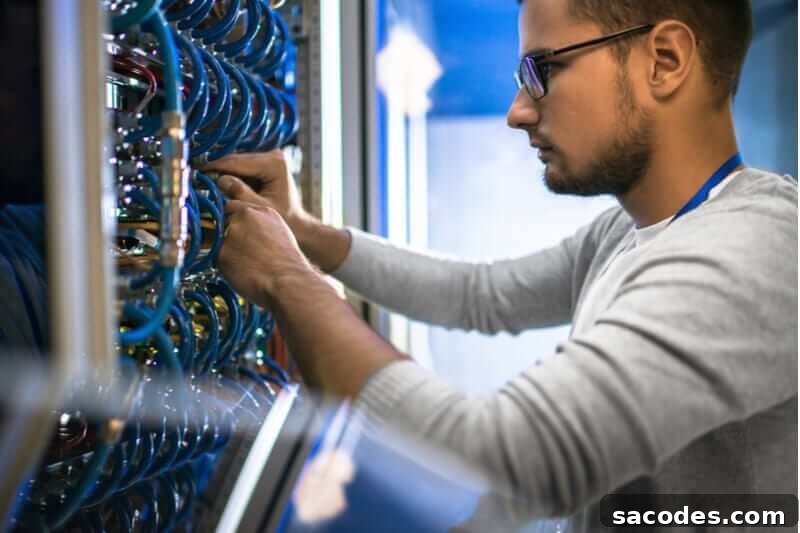
Home server refers to a server-class computer located within a home network that is configured to perform specific tasks for devices on that network. A home server can be a dedicated server appliance, or it can be a repurposed personal computer that is configured to act as a server. While personal computers and home servers can perform many of the same functions, servers are typically optimized for continuous operation, reliability, and handling network services rather than interactive desktop use.
The primary differences between a home server and an ordinary personal computer are related to purpose and configuration. To operate a personal computer as a home server, the machine should have sufficient network bandwidth, RAM, and storage capacity for the intended services. It should also be configured for stable, long-term operation and protected against power and hardware failures.
One of the most common uses of a home server is centralized media and data storage to reduce the risk of data loss when individual personal computers fail. Storing photos, documents, and media on a home server makes it easier to manage backups and recover lost files. However, storage is only one of many practical uses for a home server; servers can host multiple services that improve home network functionality and convenience.
What Are the Typical Uses of a Home Server?
Home servers can serve a wide range of purposes for home and small-office environments. Common use cases include:
- Automatic backups: A home server can be configured to perform scheduled backups for all devices on the local network, ensuring that important files are archived and recoverable.
- Secure file transfers: Instead of relying on removable media, files can be transferred securely and directly to and from the home server over the network.
- Remote access: When properly configured, a home server can be accessed remotely, allowing users to retrieve files or manage services from outside the home network.
- Learning and experimentation: Home servers are valuable for education and training. Webmasters, network technicians, students, and hobbyists can use a home server to explore server administration, networking, and software deployment in a controlled environment.
- File sharing: Shared folders and network drives hosted on the server make it easy to collaborate and share documents between multiple users and devices.
- Printer and peripheral sharing: A home server can provide centralized access to printers and other peripherals so every device on the network can print or use shared hardware without direct connections.
How Do You Set Up a Home Server?
There are several approaches to establishing a home server, depending on your budget, technical skills, and the services you want to run. Common options include:
- Use an existing personal computer: Repurposing an old desktop or laptop is a cost-effective starting point. Ensure the hardware has adequate RAM, storage, and a stable network connection, and consider upgrading components if needed. Install a lightweight server OS or server-focused software to optimize performance and reliability.
- Buy a ready-made home server appliance: Commercial home servers or network-attached storage (NAS) devices offer a straightforward setup and user-friendly interfaces. These appliances often include built-in features for backups, RAID configurations, and media streaming, reducing the need for manual configuration.
- Choose cloud-hosted solutions (VPS or VDS): If you prefer not to maintain physical hardware at home, Virtual Private Server (VPS) and Virtual Dedicated Server (VDS) options provide remote server resources hosted by providers. These options let you scale resources and run server services without the upfront investment in local hardware.
What Are VDS and VPS?
VDS (Virtual Dedicated Server) and VPS (Virtual Private Server) are popular cloud hosting models often used as alternatives to running a physical home server. A VDS typically refers to a virtual server with dedicated resources assigned to a single tenant, providing isolation and predictable performance. A VPS, created through server virtualization, allocates a portion of a physical server to one or more users; resources are logically separated, but some underlying resources may be shared. Both options allow you to host services remotely and can be suitable for users who want server functionality without managing local hardware.
Hardware, Network and Security Considerations
When planning a home server, consider hardware reliability and network capacity. Use adequate storage solutions—such as multiple drives with redundancy (RAID) if data protection is important—and ensure sufficient RAM and CPU for the services you plan to run. A stable broadband connection and a router that supports port forwarding or VPNs will enable remote access. For power protection, an uninterruptible power supply (UPS) can prevent data corruption during outages.
Security and maintenance are essential: keep the operating system and applications up to date, enforce strong authentication and passwords, configure a firewall, and limit remote access using secure methods (VPN, SSH with key authentication, etc.). Regularly test backup and restore procedures to ensure your data remains recoverable.
In summary, a home server can centralize storage, automate backups, share printers and files, support remote access, and serve as a training platform for learning server administration. Whether you build one from existing hardware, buy a ready-made appliance, or use VPS/VDS hosting, planning for performance, reliability, and security will help you get the most value from your home server setup.