
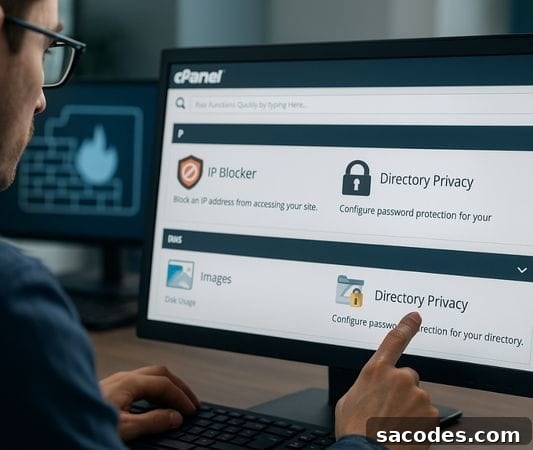
Websites are more than just content delivery platforms; they carry important responsibilities for security, traffic management, and user experience. When it’s necessary to limit access for certain users or regions, having quick controls available in your hosting management panel can save time and prevent problems. In this context, cPanel offers practical tools to implement effective access restrictions.
This guide walks you step by step through how to apply access restrictions to an entire website or specific pages using cPanel.
→ Block Access by IP Address
cPanel includes a user-friendly IP Blocker tool designed to stop unwanted visitors by blocking specific IP addresses. This method is ideal for stopping spam bots, malicious login attempts, or unwanted traffic originating from particular IPs.
How to apply it:
-
Log in to your cPanel dashboard.
-
Open the “IP Blocker” or “IP Engelleyici” section.
-
Enter the IP address or IP range you want to block in the designated field.
-
Click the “Block” button to complete the action.
This approach provides a fast response when you need to temporarily block attacking or abusive IPs. It is simple to manage and can be quickly reversed if a legitimate IP was mistakenly blocked.
→ Directory and Page-Level Restrictions (.htaccess Method)
If you need more granular control over specific sections of your site, you can define rules in a .htaccess file. This is useful for protecting admin panels, private content folders, or member-only pages by allowing access only from specified IP addresses.
An example configuration might look like this:
order allow,deny

deny from 123.456.789.0

allow from all
This snippet blocks GET and POST requests coming from the specified IP. You can expand these rules to include IP ranges, allowlists, or user-agent filters for more advanced protection. Always test .htaccess changes on a staging environment first to avoid accidentally locking out legitimate users.
→ Add Password Protection to Folders
To protect certain parts of your site with a username and password, use cPanel’s “Directory Privacy” feature. This ensures that only authorized users can access a specific directory.
Steps to enable password protection:
-
Open the Directory Privacy section in cPanel.
-
Select the folder you want to protect.
-
Enable the “Protect this directory” option.
-
Create a user and set a strong password for access.
This is especially useful during development, for staging sites, or for pages intended for internal use only. Make sure to use strong, unique passwords and rotate them periodically for better security.
→ Country-Based Traffic Restrictions
cPanel does not offer built-in country-level blocking by default, but you can implement this requirement using external security services and CDN solutions. Services such as Cloudflare allow administrators to block or challenge incoming traffic by country code, providing an effective layer of protection.
Typical steps when using a CDN or WAF:
-
Log in to your CDN or firewall provider account.
-
Select the domain you want to manage.
-
Go to the Firewall or Security rules section.
-
Create rules to “Block” or “Challenge” traffic based on country codes.
Country-level blocking is useful for reducing unsolicited traffic, spam, and automated attacks from specific regions. Keep in mind that legitimate users may be affected, so apply these rules carefully and monitor traffic analytics after changes.
→ Recommendations for WordPress Sites
If your site runs on WordPress, you can apply tailored access restrictions using security plugins. These tools enable role-based content visibility, IP or geo-based filtering, and other access controls without manual server configuration.
Popular plugins to consider:
-
Wordfence Security
-
All In One WP Security & Firewall
-
WP Cerber Security
These plugins offer more than basic IP blocking: they include login attempt limits, role management, bot protection, and monitoring features that help secure WordPress installations without deep technical knowledge.
Controlled Access for a More Secure Future
cPanel provides clear and powerful tools that let you filter incoming traffic even if your technical experience is limited. In some cases, blocking a handful of IP addresses is sufficient; in others, stronger measures like password protection or integration with external security services may be required.
The most important step is to assess your website’s needs and balance protection with user experience so you maintain maximum security without unnecessarily disrupting legitimate visitors.