
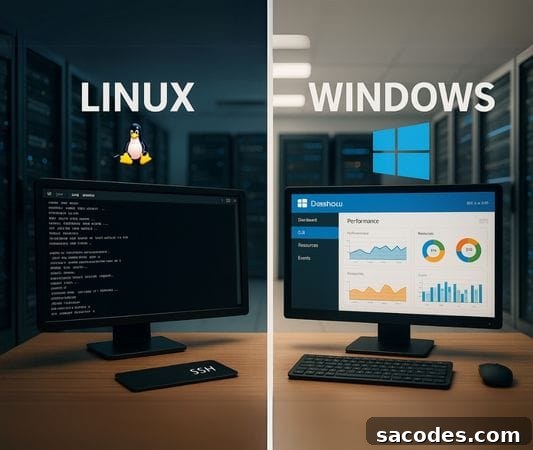
One of the most critical decisions when setting up a server is choosing the operating system. This choice directly affects performance, security and cost. The two main options are Linux server and Windows server. So, what are the differences between these server operating systems, and which one is better for which projects?
In this article, we provide a detailed Linux vs. Windows server comparison to help you make the right choice for your needs.
What Is a Server Operating System?
A server operating system is the software layer that runs on server hardware and processes user requests. It handles tasks like file sharing, database management, web server services and application hosting. The operating system has a direct impact on performance, data security and software compatibility.
What Is a Linux Server?
A Linux server runs on the open-source Linux operating system, which is often available without licensing fees. Popular distributions include Ubuntu Server, CentOS, Debian, Rocky Linux and AlmaLinux. Linux servers are widely chosen by developers and system administrators for their flexibility and control.
Advantages:
-
Able to be freely customized and usually license-free: no costly OS license fees, and source code access allows deep customization.
-
Lower system resource usage: Linux can run lightweight and deliver high performance on the same hardware.
-
Strong security: frequent updates and a robust user permission model reduce attack surface.
-
SSH access and command-line control: advanced administration and automation are straightforward for experienced users.
-
Ideal for web hosting: Linux works very well with PHP, MySQL and Apache/Nginx based projects like WordPress and other open-source CMS platforms.
Disadvantages:
-
The interface and command-line focus can be challenging for beginners.
-
Running .NET-based applications on Linux can be more difficult or require additional layers such as Mono or .NET Core compatibility considerations.
What Is a Windows Server?
A Windows server is a commercial server operating system developed by Microsoft that requires licensing. Well-known versions include Windows Server 2019 and 2022, with Internet Information Services (IIS) often used for web hosting on Windows platforms.
Advantages:
-
Graphical user interface makes management and setup easier for administrators who prefer GUI tools.
-
Full compatibility with Microsoft technologies such as the .NET Framework, ASP.NET and Microsoft SQL Server (MSSQL).
-
Seamless integration with enterprise systems like Active Directory and Group Policy for centralized network management.
Disadvantages:
-
Higher licensing costs compared to Linux.
-
Tends to consume more system resources (RAM and CPU) than a comparable Linux setup.
-
Limited compatibility with some open-source tools without additional configuration or third-party solutions.
Linux vs. Windows: Which Server Fits Which Use Case?
| Use Case | Preferred System |
|---|---|
| Web hosting (WordPress, PHP, MySQL) | Linux server |
| ASP.NET / MSSQL-based projects | Windows server |
| Low-budget projects | Linux server |
| Enterprise network management and Active Directory | Windows server |
| Full control via command line | Linux server |
| Management with a graphical interface (GUI) | Windows server |
Security Comparison
Linux servers often offer tighter security by default due to their user permission model and open-source ecosystem that allows rapid auditing and patching. They are generally less targeted by widespread malware campaigns.
Windows servers are also secure when properly maintained—regular security updates and advanced firewall options are available—but they can be more frequently targeted by attackers. Higher resource usage on Windows can also lead to performance bottlenecks if hardware is insufficient.
Performance and Resource Usage
Linux typically consumes fewer resources and delivers high performance, making it particularly effective in VPS and cloud server environments. Its lightweight footprint helps run more services on the same hardware.
Windows server often requires more RAM and CPU power because of its GUI and background services. For applications that depend on Microsoft technologies, however, Windows may be the necessary choice despite higher resource needs.
Cost Comparison
-
Linux servers are generally free in terms of operating system licensing; you typically only pay for hosting and support services.
-
Windows servers require licenses, which translate into additional monthly or annual costs for businesses.
For budget-conscious startups and small businesses, Linux hosting is often the more economical option while still providing strong performance and security.
Which Should You Choose?
The right choice depends entirely on your project’s requirements. Consider the following:
-
If your stack uses PHP, MySQL, WordPress or other open-source systems: choose Linux server.
-
If you develop with ASP.NET, MSSQL or rely on Windows-specific applications: choose Windows server.
-
If licensing cost is a major consideration: prefer Linux.
-
If simple setup and a graphical management interface are priorities: Windows may be more suitable.
The Right Server for the Right Performance
Choosing a server operating system is one of the most important technical decisions that affects your project’s success. Evaluating Linux and Windows server options in terms of performance, security, cost and ease of use is essential for long-term efficiency.
A well-configured server operating system ensures your website or application runs quickly and reliably, improving user experience and overall stability.