
Network devices are the backbone of any company or organization. Ensuring the security, reliability, and proper operation of switches, routers and similar equipment is essential for uninterrupted business operations and data integrity.
Devices such as switches and routers require regular maintenance and routine checks. Preventive maintenance reduces unexpected downtime, extends equipment life, and helps detect configuration or hardware issues before they impact users. A scheduled checklist that covers physical condition, firmware status, connectivity and performance metrics is a practical way to keep systems healthy.
While cyberattacks receive much attention, physical threats remain among the most common and immediate risks. Physical security must be the first line of defense: network devices should be installed in secure areas with controlled access, locked cabinets or server rooms, and surveillance where appropriate. Limiting physical access and maintaining strict access controls reduces the chance of tampering, theft, or accidental damage.
Environmental conditions are another critical factor. Network devices can fail due to excessive heat or humidity. Overheating can cause intermittent errors, performance degradation, or permanent hardware damage, all of which can lead to service interruptions. For equipment housed in cabinets or racks, it is important to verify that top- and bottom-mounted fans are operational, airflow is not blocked, and ambient temperature and humidity remain within manufacturer-recommended ranges.
Power quality plays a large role in device reliability. Voltage fluctuations, surges, and frequent outages may damage equipment or corrupt configurations. Wherever possible, network devices should be connected to uninterruptible power supplies (UPS) or other power conditioning systems to provide stable power and allow for graceful shutdowns during extended outages. Regularly test UPS units and replace batteries according to their maintenance schedule to ensure they perform when needed.
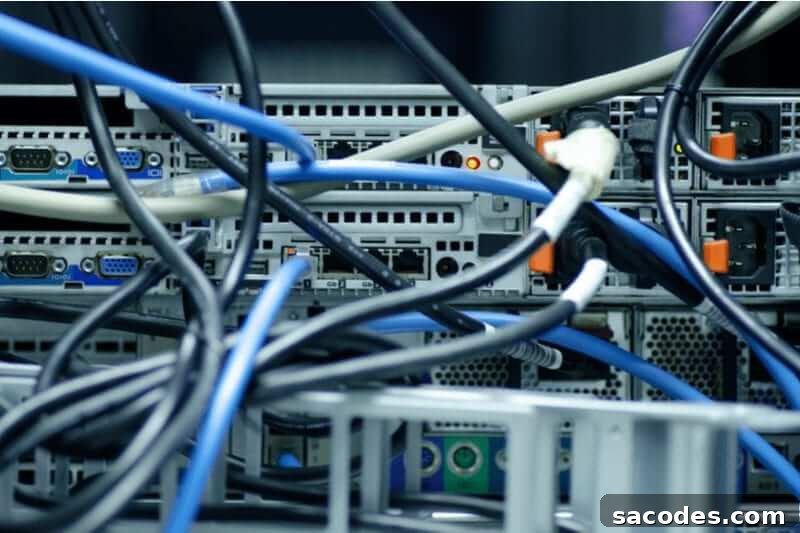
Cabling deserves careful attention as well. Poorly managed or tangled cabling can restrict airflow, complicate troubleshooting, and increase the risk of accidental disconnections. Proper cable management improves cooling efficiency and reduces the chance of hardware faults related to heat. It also makes routine work faster and safer for technicians.
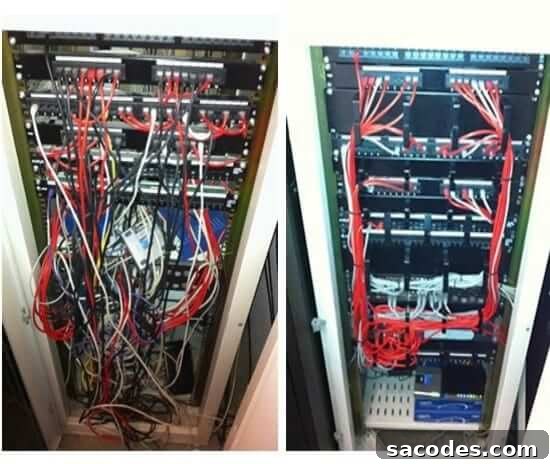
The image above clearly demonstrates how not to organize cables versus a tidy, labeled setup. Cable clutter traps heat around devices, contributing to overheating issues. Labeling each cable is a simple but powerful practice: labels should indicate the cable’s origin and destination, and include any basic identifying information needed for quick identification. Proper labeling and neat routing enable faster response to emerging problems and reduce human error during maintenance or changes.
Besides physical measures, keeping device software up to date is essential. Firmware and software updates address security vulnerabilities, improve stability, and can add useful features. Establish a change-control process for rolling out updates—test changes in a staging environment when possible and schedule updates during maintenance windows to minimize impact. Additionally, implement port security, access controls, and hardened configurations to limit exposure to unauthorized access.
Monitoring and logging are complementary practices that help detect issues early. Real-time alerts for temperature, power events, link failures, and unusual traffic patterns allow fast intervention. Maintain accessible documentation that records device configurations, network diagrams, maintenance records, and contact information for responsible personnel. This documentation speeds troubleshooting and supports consistent operations.
In summary, a reliable network relies on a combination of physical security, environmental controls, power protection, organized cabling and labeling, up-to-date software, and proactive monitoring. Regular inspections, clear documentation, and disciplined operational procedures will keep network devices functioning securely and efficiently, minimizing downtime and protecting organizational assets.
“We must keep device software up to date and ensure port security.”
Samed Gül