
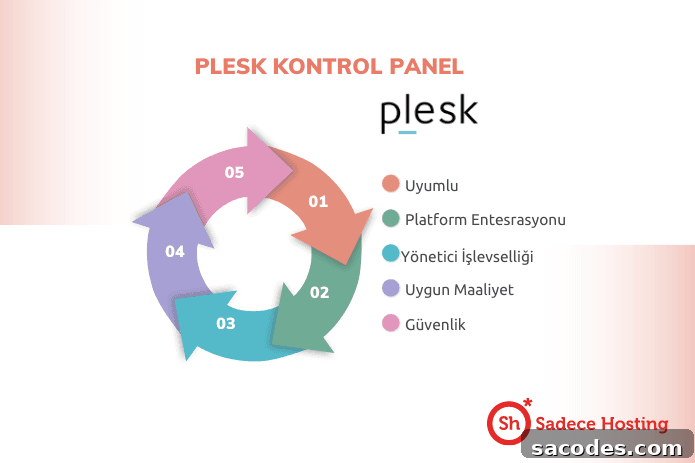
Plesk Panel: The Jewel of Web Hosting Management
A proven leader in the web hosting world, Plesk Panel is a comprehensive control panel designed to simplify website and server administration. It serves users at every level—from individual site owners to professional hosting providers—by offering tools that cover server management, domain administration, security, backups, performance optimization, and more. What makes Plesk so popular among web administrators and hosting professionals?
User-Friendly Interface
Plesk stands out for its intuitive, user-friendly interface. Whether you are an experienced sysadmin or a newcomer to web hosting, the panel’s clear layout and straightforward navigation make routine tasks fast and efficient. This ease of use reduces administrative overhead and helps teams focus on content and business goals rather than configuration details.
Multilingual Support
Global accessibility matters in modern web hosting. Plesk provides multilingual support, allowing users to operate the control panel in their preferred language. This capability improves usability for international teams and clients, making Plesk a strong choice for providers with a worldwide audience.
Robust Security Features
Security is a top priority for any website owner. Plesk includes a suite of security features designed to protect websites and servers. Easy SSL certificate integration ensures encrypted connections, while built-in firewall controls and optional DDoS protection help defend against common threats. Regular security updates and configurable policies make it easier to maintain a secure hosting environment.
Automated Backup and Restore
Data loss can be catastrophic. Plesk addresses this risk with automated backup and restore tools that let administrators schedule backups, store snapshots, and recover sites quickly when needed. These features are essential for disaster recovery planning and for maintaining business continuity across websites and applications.
Comprehensive Application Marketplace
Enhancing a website’s capabilities often requires third-party apps and extensions. Plesk’s application marketplace offers one-click installers for popular platforms such as WordPress, Joomla, and Magento, as well as developer tools and integrations that extend functionality without complex configuration. This ecosystem accelerates deployments and simplifies plugin management.
Scalability for Growing Sites
As traffic and resource requirements grow, hosting infrastructure must adapt. Plesk provides scalability features that make it simple to adjust resources, add services, and scale hosting plans to meet demand. Whether you run a single site or manage hundreds of accounts, Plesk helps maintain performance and reliability as needs change.
Remote Access and Management
Modern administration requires mobility. Plesk supports remote access and management, enabling administrators to monitor and update sites from anywhere with an internet connection. This flexibility makes it easy to respond to incidents, push updates, and manage multiple servers without being tied to a specific workstation.
Professional Support
Quality support is critical when technical issues arise. Plesk users benefit from professional support resources and documentation that help resolve problems quickly. Fast response times and effective troubleshooting enhance uptime and reduce the time spent on maintenance tasks.
In summary, Plesk Panel streamlines web hosting management by combining an accessible interface with powerful administration, security, and automation tools. Its app marketplace, backup systems, multilingual options, and scalability make it a versatile solution for freelancers, agencies, and hosting providers. These strengths make Plesk a go-to control panel for those who need reliable, secure, and easy-to-manage web hosting.
Managing Web Hosting with Plesk Panel: A Step-by-Step Guide
Plesk simplifies the key steps of running a website on the internet. Below is a concise guide to the main tasks involved in hosting management with Plesk:
1: Logging In to Plesk Panel
Start by opening your web browser and navigating to your Plesk login address, typically formatted as “https://your_ip_address:8443”. Enter your username and password to access the dashboard where you can manage all hosting functions.
2: Domain Management
After logging in, manage domains from the “Domains” or “Websites & Domains” section. You can add new domains, configure DNS settings, and organize subdomains. Efficient domain management is the foundation for hosting multiple sites or client accounts.
3: Creating a Website
With a domain in place, create a site using Plesk’s guided workflow. Go to “Websites & Domains” and select “Create Website” to install CMS platforms or deploy custom code. One-click installers help you launch popular applications quickly and securely.
4: Database Administration
Many web applications require databases. Plesk’s database management tools let you create and manage MySQL or PostgreSQL databases, configure users and permissions, and perform exports/imports directly from the panel.
5: Creating Email Accounts
Professional email addresses linked to your domain improve communication and branding. Use the “Mail” section to create and configure email accounts, set up forwarding, autoresponders, and spam protection.
6: Security Settings
Protect your sites by configuring security options in the “Security” or “Security Center” area. Manage firewall rules, install SSL certificates, enforce strong passwords, and enable DDoS mitigation where available to secure your hosting environment.
7: Backup and Restore
Schedule regular backups and test restore procedures from the “Backup Manager.” Automated backups safeguard your data and ensure you can recover quickly from accidental deletions, updates that fail, or other issues.
8: Performance Optimization
Improve load times and SEO by using Plesk performance tools—caching, Gzip compression, and optional CDN integration—to reduce page load times and provide a faster experience for visitors.
By following these steps, you can manage domains, sites, databases, security, and backups efficiently within Plesk. The panel’s combination of automation, security, and extensibility helps maintain stable, high-performing web hosting environments for businesses and developers alike.
To learn more about licensing and options for deploying Plesk Panel, visit the official website.