
One of the keys to success on the internet is understanding and applying search engine optimization (SEO) effectively. Meta descriptions and title tags are essential elements that influence how your website appears in search engine results and how users decide whether to click. In this article, we explain how to optimize these elements using the Plesk Panel. We will highlight why meta descriptions and title tags matter and walk through practical steps to create and manage them within Plesk.
What Are Meta Descriptions?
Meta descriptions are short snippets of text that appear below your page title on search engine results pages (SERPs). They give users a concise preview of what the page contains and can encourage clicks when written well. A compelling and accurate meta description can improve your click-through rate (CTR) and drive more organic traffic to your site.
How to Write Effective Meta Descriptions
When crafting a strong meta description, pay attention to the following guidelines:
1. Length: Aim for around 150–160 characters so search engines can display the full description without truncation.
2. Keywords: Include the primary keywords you are targeting. Keywords in the meta description help match search queries and attract relevant visitors.
3. Appeal: Write in a clear, compelling tone that describes the page’s benefit and prompts users to click.
4. Uniqueness: Use a unique meta description for every page. Avoid duplicate descriptions across multiple pages to prevent confusion and dilution of relevance.
What Are Title Tags?
Title tags are HTML elements that define the title of a web page. They are what users see in search results and browser tabs, and search engines rely heavily on them to understand page content. Well-optimized title tags are one of the most impactful on-page SEO elements and can directly influence your rankings.
How to Write Effective Title Tags
Follow these best practices when creating title tags:
1. Length: Keep titles between 50–60 characters so they display fully in search results.
2. Keywords: Place your main keyword near the beginning of the title when possible for stronger relevance signals.
3. Brand: If appropriate, append your brand name at the end of the title to build recognition.
4. Uniqueness: Each page should have a distinct title tag that accurately reflects its content.
Managing Meta Descriptions and Title Tags in Plesk Panel
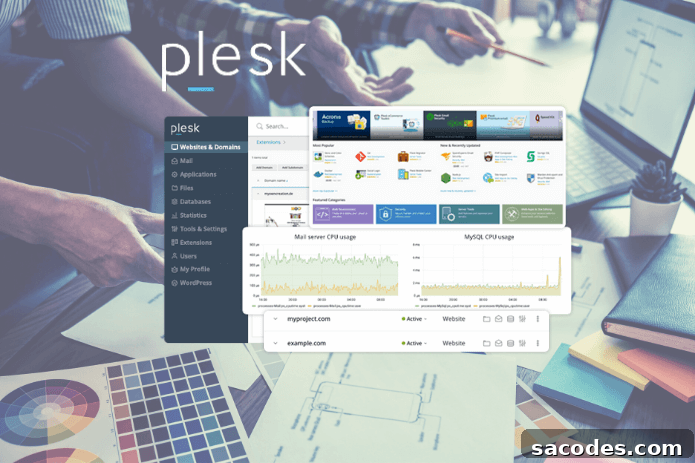
Plesk Panel is a powerful hosting control panel that simplifies site management. You can use Plesk to create and edit meta descriptions and title tags for your website pages. Below is a straightforward workflow to manage these SEO elements using Plesk tools.
1. Log in to Plesk Panel
Start by logging into your Plesk account. After signing in, select the domain or website you want to optimize. Working directly from the correct subscription or domain ensures your changes apply where intended.
2. Install the SEO Toolkit
If it is not already installed, add the SEO Toolkit extension in Plesk. This extension offers tools to audit, monitor, and improve on-page SEO, including features to manage meta tags and titles efficiently.
3. Create and Edit Meta Descriptions and Title Tags
Once the SEO Toolkit is active, open your site’s SEO settings. You will find interfaces to add or edit meta descriptions and title tags for individual pages. Enter unique, targeted content for each page rather than relying on automatic defaults.
4. Perform Keyword Research
Identifying the right keywords is essential. Conduct keyword research to discover the terms your audience uses, then incorporate those terms naturally into your title tags and meta descriptions to attract relevant traffic.
5. Monitor and Refine SEO Performance
Use Plesk’s SEO Toolkit to track performance metrics like impressions and click-through rates. Regularly review how your meta descriptions and title tags perform and update them based on analytics to improve results over time.
Example Title Tag and Meta Description
Here is an example of an effective combination:
- Title Tag: “SEO Optimization: Meta Descriptions and Title Tags with Plesk Panel – [Brand Name]”
- Meta Description: “Optimize your website’s meta descriptions and title tags using Plesk Panel. Improve SEO performance, attract more visitors, and increase your search rankings with practical, easy-to-apply steps.”
Meta descriptions and title tags play a central role in your site’s SEO. By managing these elements carefully in Plesk Panel—using relevant keywords, unique copy, and ongoing performance checks—you can improve visibility in search results and attract more qualified traffic. Consistent monitoring and iterative optimization are essential for sustained SEO success.