
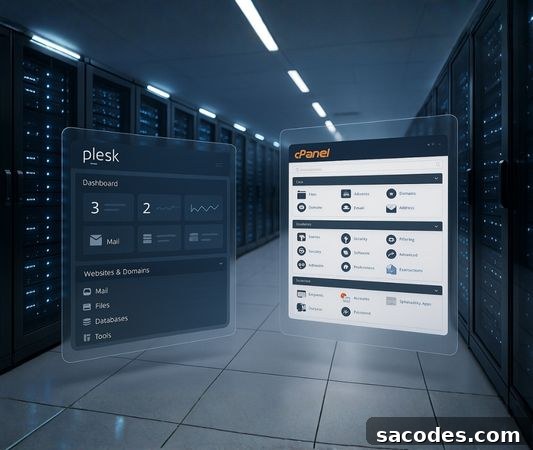
Web hosting control panels are essential tools that simplify server management and help users handle technical tasks more efficiently. The two most frequently compared panels in this field are Plesk Panel and cPanel. Both platforms offer powerful features, but they differ in design philosophy, technical architecture, security models, and administration capabilities. These differences are especially important for hosting providers, software developers, and IT professionals who manage multiple systems.
In this comprehensive overview you will learn the strategic and technical distinctions that set Plesk Panel apart from cPanel. We cover infrastructure architecture, operational workflows, security standards, and industry best practices so you can make an informed, professional decision about which control panel best fits your environment.
Architectural Differences Between Plesk Panel and cPanel
One of the primary architectural differences is operating system compatibility. Historically, cPanel has been positioned as a control panel for Linux environments only, while Plesk Panel provides native support for both Linux and Windows servers. This cross-platform capability gives Plesk a clear advantage for projects that rely on ASP.NET or Windows-based databases.
Plesk’s modular and extensible architecture enables comprehensive server management from a single control panel. Administrators do not need to switch between interfaces to manage security, applications, and domain settings—everything is integrated into one dashboard. This unified approach simplifies centralized management even for complex deployments.
User Interface and Experience Differences
Plesk Panel is known for its user-friendly interface design. Its modern UI helps non-technical users learn the panel faster. Menus are streamlined, modules are organized into logical categories, and tools needed for a project are easy to find—making routine tasks more efficient.
In contrast, cPanel offers a more traditional, icon-based interface. While experienced administrators may find it efficient, the extensive icon list can feel overwhelming to newcomers. Plesk’s interface often guides users through technical processes step-by-step, which can improve workflow and reduce errors.
Plesk Obsidian introduced further UI optimizations, including better responsiveness and stability on mobile devices, enabling administrators to manage servers without being tied to a desktop environment.
Plesk’s Application Ecosystem and Extensibility Benefits
Plesk includes an extensive application ecosystem. The built-in Application Catalog enables one-click installations of hundreds of professional applications. One of the most notable additions is the WordPress Toolkit, which is a major reason many users choose Plesk.
The WordPress Toolkit provides:
- Multi-site WordPress management
- Bulk application of security policies
- One-click cloning and staging
- Advanced performance controls
These tools increase productivity for web developers and agencies. On the cPanel side, applications are often managed using third-party installers such as Softaculous. While these installers provide a wide selection of apps, they are not as tightly integrated as Plesk’s native management features.
Security Model and Customization in Plesk Panel
Security is critical for any server or web project. Plesk Panel integrates security tools directly into the control panel, reducing configuration errors and enabling proactive protection by default.
Notable security features in Plesk include:
- Advanced mod_security management
- Fail2Ban integration
- Application-specific security rules
- Domain-based isolated execution environments
- Enhanced SPF and DKIM tools for email services
In cPanel, these security functions are often spread across different locations or require additional modules. Plesk’s integrated security modules give administrators centralized, consistent control over protection measures.
Strengths on Linux and Windows Platforms
One of Plesk Panel’s most significant advantages is its smooth operation on Windows Server. If your projects use technologies such as:
- ASP.NET-based applications
- MSSQL databases
- Services that require IIS configuration
- .NET Core projects
Plesk clearly stands out as the more suitable solution. This makes Plesk a professional choice not only for traditional web hosting but also for Windows-based server services. cPanel does not offer native support in these Windows-specific areas.
Developer Tools and Automation Features
Automation, container management, and effective control of development environments are essential in modern development workflows. Plesk Panel ships with a broad set of built-in developer tools that can save time and reduce long-term costs for technical teams.
Key developer features in Plesk include:
- Docker integration
- Git remote management
- Multi-version management for Node.js, Ruby, and PHP
- Advanced CLI support for command-line tools
- Server-level task scheduler modules
Many of these capabilities require third-party plugins or receive limited support in cPanel.
Resource Management and Performance Monitoring
Plesk provides modern monitoring tools that show detailed resource usage—CPU, RAM, I/O, and process logs—from a single interface. In some cases, automated process control reacts when critical thresholds are reached, helping ensure stability under heavy traffic.
In cPanel, resource monitoring is more limited and some statistics are only accessible via WHM, which can slow down administrators who manage multiple sites.
Technical and Administrative Flexibility for Hosting Services
Consider a hosting provider or enterprise managing hundreds of domains, multiple projects, and many users on the same infrastructure. Management tools, team-based access, and delegated control options are essential in such scenarios.
Plesk supports a multi-layered user model with features such as:
- Administrator-level controls
- Reseller-level custom permission management
- Restricted privilege delegation to end users
- Flexible quotas for resource planning
- Subscription-based configuration options
This user model is well suited for large-scale projects. Although cPanel is distributed with WHM, it does not offer the same level of role diversity and granular permission flexibility as Plesk.