
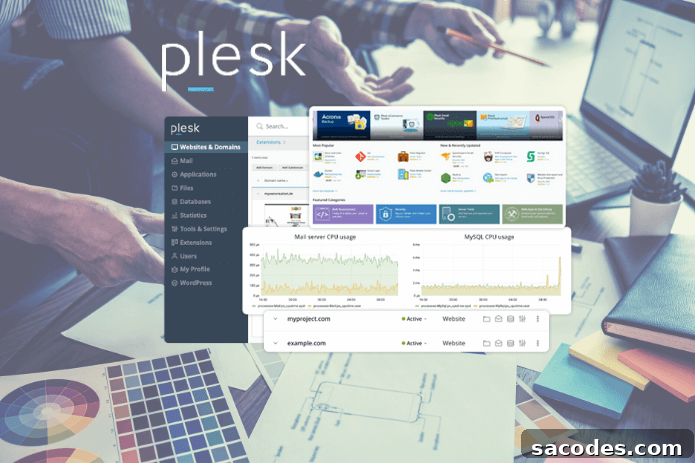
What Is Plesk Panel? What Benefits Does It Offer?
Plesk Panel is a hosting control tool known for its intuitive user interface and its ability to manage customer accounts and websites efficiently on both Linux and Windows operating systems. While there are several hosting control panels to choose from, Plesk Panel offers a range of practical advantages for websites of every size.
Below are six key advantages that make Plesk Panel a strong choice for managing your website and hosting environment.
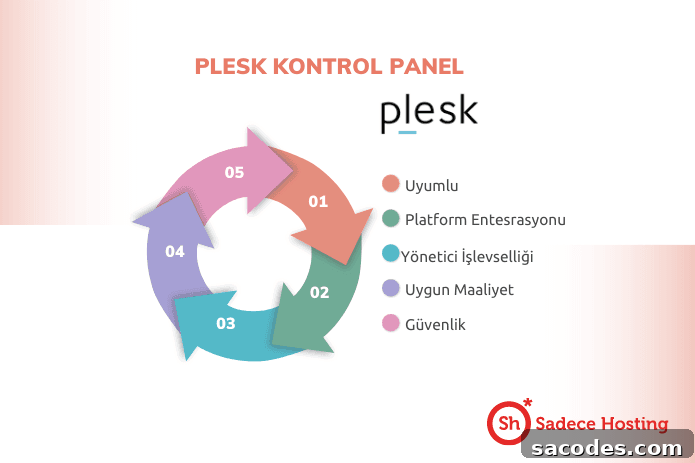
Compatibility
Unlike cPanel, which is limited to Linux, Plesk Panel supports both Windows and Linux servers. This flexibility makes Plesk suitable for a variety of setups, including virtual private servers (VPS), shared hosting, dedicated servers, and reseller hosting. Its broad OS and infrastructure compatibility simplifies deployments across mixed environments and reduces the need to change control panels when your platform needs evolve.
Platform Integrations
Plesk integrates with many tools commonly used by developers and site administrators. For example, Plesk supports Git and Docker integrations, allowing you to streamline deployment workflows, manage repositories, and run containerized applications directly from the panel. These integrations help simplify website and application management, making Plesk a practical choice for development and production environments alike.
Administrator and Client Functionality
Plesk provides distinct interfaces and capabilities for both administrators and end users. Administrators can manage servers, configure hosting plans, and apply global policies, while clients can control their own domains, email accounts, databases, and application installations through a user-friendly dashboard. This separation of roles and permissions improves security and operational efficiency while offering the flexibility needed for hosting providers and site managers.
User-Friendly Interface
Plesk is often praised for having a cleaner, more organized user interface compared with some alternatives. Its layout is intuitive, with clear navigation and a logical grouping of features, making it easier for users at any experience level to find and use the tools they need. This user-first design reduces the learning curve and helps administrators and site owners accomplish tasks more quickly, which is a major reason many people choose Plesk-enabled hosting.
Cost Efficiency
Plesk can be a cost-effective option for many hosting scenarios. It supports the free installation of popular content management systems and application stacks such as WordPress and Joomla, which reduces initial setup time and costs. Additionally, Plesk’s resource footprint tends to be modest; it generally consumes less disk space and memory compared with some alternatives, which can translate to lower hosting costs, especially on smaller or resource-constrained servers.
Security
Security is a core consideration for any hosting control panel. Plesk simplifies SSL certificate management, often enabling one-click installation of SSL certificates for your domains. Proper SSL configuration helps protect your site and give visitors confidence when browsing or submitting data. Hosting providers that deliver Plesk-based plans frequently offer packaged options with SSL and other security features preconfigured to make secure hosting easier to maintain.
If you want to learn which Plesk license or plan best fits your website, contact your hosting provider or licensing partner to explore available options and find the right level of support and security for your needs.
What to Consider Before Buying Plesk Panel
Server Location
Server location is an important factor that affects latency and page load times. Latency refers to the time it takes for data to travel between your server and a visitor’s device. The closer your server is to your audience, the lower the latency and the faster pages will load. Faster load times improve user experience and engagement, while high latency can slow down applications and negatively affect performance. Choose a server location that best matches the geographic distribution of your visitors.
Security
Security should be a top priority when choosing a Plesk license provider. A reliable provider will monitor for security issues and notify you of risks or breaches. They should also offer features such as firewall management, malware scanning, automatic updates, and secure access controls to help protect your websites and data.
Backups
Automatic backups are essential for preserving your site’s data and ensuring quick recovery in case of failure or data loss. Many Plesk license providers offer automated backup services and flexible options to download or restore backups on demand. Confirm that your provider supports backup frequency, retention policies, and restoration procedures that match your needs.
Final Notes
Choosing Plesk Panel can simplify website and server management across diverse hosting environments. Evaluate compatibility with your operating system, required integrations, security offerings, backup capabilities, and server location before purchasing a license. With the right plan and provider, Plesk can provide a balance of usability, performance, and security for both individual site owners and hosting providers.