
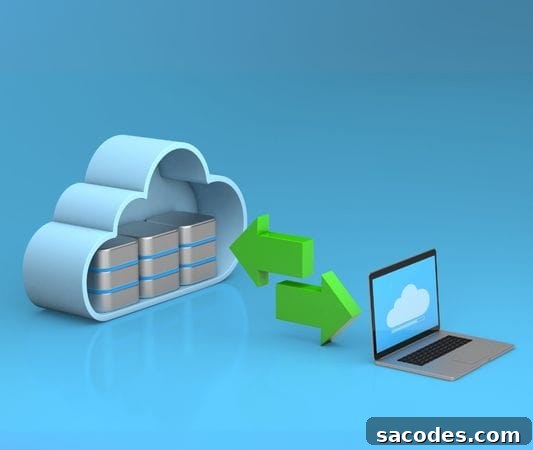
As digital data becomes increasingly critical, data security has risen to the top of business priorities. Data loss caused by hardware failures, cyberattacks, or human error can lead to serious operational disruption and financial loss. This is where cloud backup solutions play a vital role. Especially when used together with cloud servers, these solutions offer a secure and flexible infrastructure to protect your information and ensure business continuity.
What Is Cloud Backup?
Cloud backup is a technology that automatically copies data over the internet to remote servers. Compared with traditional on-site backup methods, cloud backup typically reduces risk and simplifies management. When integrated with a cloud server, the system provides continuous availability, fast recovery, and strong safeguards with minimal administrative overhead.
Why Back Up to a Cloud Server?
♦ Flexibility and Scalability
Cloud server–based backup solutions scale easily with growing data volumes. Instead of investing in additional physical hardware, you can expand resources on demand to match your needs, making capacity planning simpler and more cost-efficient.
♦ Strong Security
Your data is protected by encryption protocols and multi-layer access controls that help defend against cyber threats. Distributed data centers placed across different geographic locations also increase resilience against physical disasters, ensuring your backups remain safe even if one facility is compromised.
♦ Automated, Continuous Backups
Automated backup systems create data copies at scheduled intervals without requiring user intervention. This continuous approach maintains up-to-date protection and minimizes the risk of data loss, allowing rapid restore when needed.
When Is Cloud Backup Critically Important?
-
When an employee accidentally deletes an important file.
-
When ransomware or other malware infects a server.
-
When a hardware failure corrupts or destroys primary storage.
-
When natural disasters, fires, or other physical threats affect on-site infrastructure.
In these scenarios, cloud backup enables fast recovery and minimal downtime, helping organizations maintain operations and protect critical information.
Popular Cloud Backup Approaches
Many hosting and service providers offer integrated backup options that work with cloud server environments. Common approaches include:
-
JetBackup-enabled WordPress hosting for website-specific backups and easy restores.
-
cPanel-driven backup automation that schedules and manages backups through familiar control panels.
-
External backup storage that keeps copies of data independent of primary physical servers for additional redundancy.
These systems make backups accessible with a few clicks and allow rapid restoration when required, reducing recovery time objectives (RTOs) and simplifying operational procedures.
Why Backup Frequency and Versioning Matter
Regular backups are important, but keeping multiple versions of files is equally critical. Versioning allows you to revert to earlier states if the latest backup is corrupted or contains unwanted changes. Cloud server platforms generally support granular version management, enabling point-in-time restores and better protection against accidental or malicious data changes.
Cost Advantages of Cloud Backup
Traditional on-premises backup solutions often require significant hardware investment and ongoing maintenance costs. Cloud-based systems typically use a pay-as-you-go model, where you pay only for the resources you consume. This makes cloud backup particularly attractive and budget-friendly for small and medium-sized businesses seeking enterprise-level protection without large upfront expenses.
Common Use Cases
-
E-commerce sites: Regular backups are essential to protect order histories, customer data, and transactional records.
-
Corporate websites: Database-driven sites benefit from daily backups to prevent data loss and ensure uptime.
-
Blogs and content portals: Versioned backups safeguard written and media content against accidental edits or deletions.
-
CRM and ERP systems: Real-time or frequent backups are crucial to prevent disruption to business processes and customer interactions.
Cloud backup solutions are among the most reliable and efficient methods for protecting modern business data. When integrated with a resilient cloud server infrastructure, your information becomes accessible and secure from anywhere, at any time. If you want to reduce the risk of data loss and ensure business continuity, moving to a cloud-based backup strategy is a proactive step that pays off in resilience, security, and cost-effectiveness.