
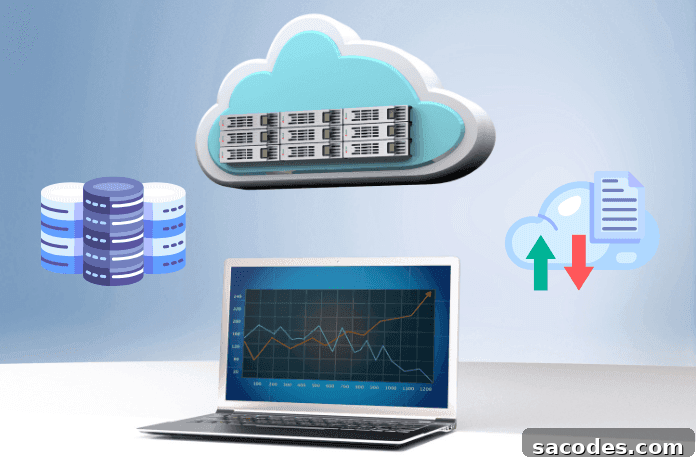
Cloud (Bulut) Hosting
In today’s internet landscape, a website’s performance, availability, and scalability are more important than ever. This is where cloud (cloud) hosting becomes essential for businesses and developers looking to deliver fast, reliable online services.
What is Cloud Hosting?
In short, cloud hosting stores your website files and databases across multiple servers instead of relying on a single machine. That simple definition only scratches the surface—cloud hosting provides redundancy, dynamic resource allocation, and faster content delivery. Below we explore its core features, benefits, and trade-offs.
Key Characteristics of Cloud Hosting
Scalability: Cloud hosting lets you increase or decrease resources like CPU, RAM, and storage on demand. This flexibility is ideal for sites with fluctuating traffic patterns.
High Availability and Uptime: If one physical server fails, your site continues serving traffic from other nodes in the cloud. That redundancy minimizes downtime and ensures continuity.
Speed and Performance: Because resources and files are distributed across multiple servers, users connect to the nearest or least-loaded node, which improves page load times—especially for global audiences.
Advantages of Cloud Hosting
Flexible Pricing: Many cloud hosting plans use a pay-for-what-you-use model, which can lower costs for websites with variable traffic.
Automated Maintenance: Providers typically handle routine server software updates and maintenance, reducing the operational burden on site owners.
Disadvantages and Considerations
Unpredictable Costs: Because billing often depends on usage, it’s sometimes difficult to forecast exact monthly expenses; heavier usage will increase costs.
Operational Complexity: Large-scale cloud deployments can require more advanced management and monitoring compared with simpler shared hosting plans.
Privacy and Control: Storing data across multiple servers raises legitimate questions about data governance, privacy, and regulatory compliance that should be addressed when choosing a provider.
Cloud Hosting Today
Cloud hosting continues to grow in popularity worldwide. By moving beyond the limitations of single physical servers, this model delivers improved scalability, speed, and resilience for websites and applications. The following sections dig deeper into the technologies that power modern cloud hosting.
In-Depth: Cloud Hosting Technologies
- Cloud Server Infrastructure: Unlike traditional hosting tied to a single physical machine, cloud hosting aggregates multiple servers into virtualized resources. That distributed architecture allows a website to run simultaneously across many machines, making it far easier to handle high traffic spikes.
- Customizable Resource Allocation: Adjust CPU, memory, and storage to meet real needs—paying only for the resources you consume.
- Disaster Recovery and Automated Backups: Cloud platforms typically offer built-in backup and recovery options to reduce the risk of data loss.
- High Uptime: If one node fails, traffic can be routed to healthy nodes automatically, keeping your site online.
- Isolation and Security: Even when multiple sites share the same physical infrastructure, virtual isolation helps protect your site if another tenant becomes compromised.
- Global Distribution: Major providers operate data centers worldwide, enabling faster delivery of content to geographically distributed users.
Who Benefits Most?
- Growing Businesses: Companies that need to scale resources quickly as traffic grows.
- Sites with Seasonal Spikes: E-commerce stores and campaign-driven sites that see temporary surges in visitors.
- Global Audiences: Websites that require consistent, low-latency performance for users in many regions.
Rapid technological advances are reshaping web hosting. Here are the technical details driving that transformation:
Containerization and Orchestration
Containers are lightweight, isolated units that package an application with its libraries and dependencies. Docker is widely used to build and run containers, while orchestration tools such as Kubernetes manage clusters of containers to ensure reliability and efficient scaling.
Main Features:
- Lightweight: Containers avoid loading a full operating system, making them efficient and fast to start.
- Portability: Containers run consistently across development, testing, and production environments.
- Scalability and Flexibility: Containers can be started or stopped quickly, enabling dynamic scaling and deployment.
Notable Technologies: Docker and Kubernetes remain leading tools for packaging, deploying, and orchestrating containerized applications.
NVMe Storage Technology
NVMe is a storage protocol designed to maximize the performance of flash-based storage. It offers significantly lower latency and higher throughput compared with older SSD interfaces, making it ideal for I/O-intensive applications.
Key Benefits
- Low Latency: Faster read/write access speeds improve application responsiveness.
- Parallel Processing: NVMe supports many command queues and high concurrency, enabling efficient parallel operations.
- Optimized for Flash Storage: NVMe is engineered to leverage the full potential of modern SSDs.
Common Use Cases
- Big Data Analytics: Accelerates large-scale read/write workloads for analysis.
- Game Development and Hosting: Faster asset loading and lower in-game latency.
- Video Editing: Improves editing workflows for 4K and higher resolution media.
Improving Network Speed
Modern web servers commonly use Gigabit and higher network connections. Speeds of 10 Gbps or more are increasingly standard in contemporary hosting infrastructures, enabling smooth handling of heavy data transfers.
Modern Network Solutions
Infrastructure Innovations
- Fiber Optic Links: Fiber transmits data at high speeds over long distances, improving throughput compared with traditional copper cables.
- 5G Technology: The new mobile standard delivers significantly higher wireless speeds and lower latencies than previous generations.
Upgrading Network Hardware
- Modern Routers and Modems: Devices with features like MU-MIMO provide faster simultaneous connections to many devices.
- Mesh Wi‑Fi Systems: Mesh networks distribute multiple access points to deliver strong coverage across homes and offices.
Traffic Strategies
- Load Balancing: Distributes traffic across multiple links or servers to maintain speed and reliability.
- Content Delivery Networks (CDN): CDNs cache content close to users to reduce latency and improve load times.
Security Measures
- DDoS Protection: Defends against traffic floods that can degrade performance.
- Malware and Virus Scans: Regular scans prevent malicious software from consuming bandwidth and resources.
Software-Defined Networking (SDN)
SDN centralizes network control, enabling administrators to program and manage network behavior from a single controller. This approach increases flexibility and supports dynamic traffic policies.
Core Principles
- Central Control: A controller manages switches and routers across the network.
- Programmability: Network behavior can be defined and adjusted through software policies.
- Separation of Planes: SDN separates the control plane from the data plane, making networks more programmable and adaptable.
Benefits
- Flexibility: Rapid reconfiguration to meet changing application needs.
- Cost Efficiency: Reduces reliance on specialized hardware, potentially lowering costs.
- Advanced Traffic Management: Enables optimized routing and improved reliability.
Challenges and Security: The centralized controller can become a critical target, so strong protections are essential. Migration from traditional networks to SDN can also present technical and financial challenges.
Edge Computing
Edge computing processes data close to where it is generated or consumed, reducing latency and conserving bandwidth. This model supports real-time applications and improves responsiveness.
- Low Latency: Local processing reduces round-trip time—vital for real-time systems like autonomous vehicles.
- Bandwidth Savings: Processing at the edge reduces the amount of data sent to central servers.
- Improved Security: Less data in transit can reduce exposure to certain types of attacks when edge devices are properly secured.
Future Role
IoT Growth: As billions of devices come online, edge computing will play a crucial role in handling the resulting data volume efficiently.
Autonomous Vehicles, AR/VR, Smart Cities: Applications that require near-instant responses and local processing will increasingly rely on edge solutions.
Challenges: Managing and securing a distributed architecture adds complexity for administrators and operators.
Artificial Intelligence and Automation
AI optimizes hosting infrastructure by improving performance, detecting security threats, and automating resource allocation. Machine learning models can predict traffic trends, enable predictive maintenance, and enhance operational efficiency.
AI and Automation Combined:
- Data Analysis: AI rapidly extracts insights from large datasets to guide automated actions.
- Predictive Maintenance: AI can forecast component failures so systems can take preventive measures automatically.
- Customer Support: AI-powered chatbots provide instant responses for routine inquiries.
Benefits
Increased Efficiency: Automation speeds operations while AI makes smarter decisions.
Cost Savings: Automating workflows can reduce labor costs over time.
Fewer Human Errors: AI reduces manual mistakes by handling repetitive or complex tasks accurately.
Concerns
Job Displacement: Automation can change workforce needs and roles.
Privacy: AI systems using large datasets must be managed to protect user privacy and comply with regulations.
Control: Overreliance on automation may create risks if systems behave unexpectedly without adequate oversight.
AI Hosting: The Model Lifecycle
AI Hosting Defined: Hosting AI models on servers or cloud platforms enables them to serve real users and integrate into production workflows.
- Model Training: Models are trained on large datasets to learn patterns and make predictions.
- Optimization: Post-training steps reduce latency and resource consumption.
- Deployment: Models are deployed to servers or cloud environments where they can be accessed by applications.
Advantages of Cloud-Based AI Hosting: Scalability, ease of updates, and cost efficiency for compute-intensive projects. Security and data governance remain key considerations when choosing a hosting provider.
Energy Efficiency and Sustainability
Data centers consume significant energy. Using renewable energy and efficient infrastructure reduces environmental impact and operating costs.
Energy Efficiency: The ability to deliver the same or better performance with less power.
Sustainability: Meeting current needs without compromising resources for future generations.
Benefits
Lower Emissions: Efficient systems cut carbon output.
Resource Conservation: Reduced energy use helps preserve natural resources.
Economic Gains: Lower long-term operating costs benefit organizations and consumers.
Challenges
Initial Investment: Upfront costs for energy-efficient or renewable infrastructure can be high.
Infrastructure Limitations: Existing facilities may require significant upgrades to adopt greener technologies.
Outlook
Advances in technology, rising environmental awareness, and supportive policies will continue to drive adoption of energy-efficient and sustainable hosting practices.
Conclusion:
Cloud hosting is a flexible, scalable, and high-performance hosting solution that fits the dynamic needs of modern websites and applications. When selecting a hosting strategy, evaluate the benefits and trade-offs—cost, complexity, privacy, and the specific technical requirements of your project. Understanding the technologies behind cloud hosting—containers, orchestration, NVMe storage, SDN, edge computing, and AI—will help you choose a solution that delivers reliability, speed, and future readiness.
Considering expert advice or consulting with cloud specialists can help tailor the right cloud hosting setup for your business or project needs.