
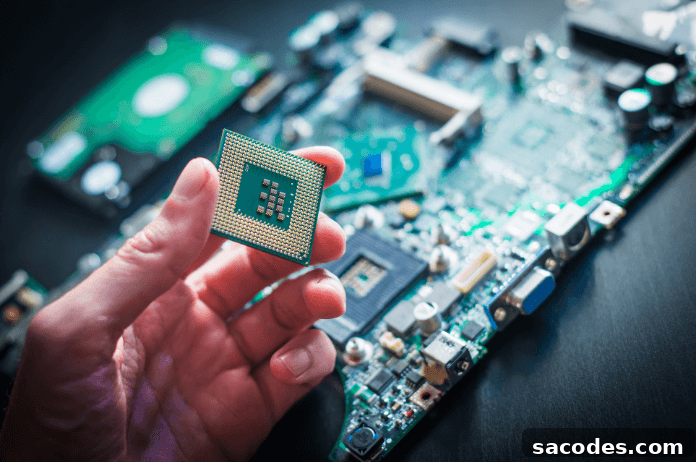
The processor, often called the heart of a computer system, manages and directs virtually all functions of these complex machines. To use a metaphor, the processor is like an orchestra conductor: just as a conductor ensures all instruments play together in harmony, the processor coordinates the computer’s hardware and software components to work in unison.
The processor’s importance stems from how it influences a computer’s performance, power consumption, thermal behavior, and overall functionality. If you want high frame rates while gaming or plan to perform CPU-intensive tasks such as video editing or 3D rendering, you will need a capable processor. Conversely, for light tasks like office work or web browsing, an energy-efficient, lower-capacity CPU can be perfectly adequate.
Although the processor may not always be the most expensive component in a system, it often has the largest impact on user experience and day-to-day performance. Choosing the right CPU is therefore a critical step when buying a new PC or upgrading an existing machine. With an appropriate choice, you can achieve a satisfying balance between performance and energy efficiency that matches your use case and budget.
What Is a Processor? What Does It Do?
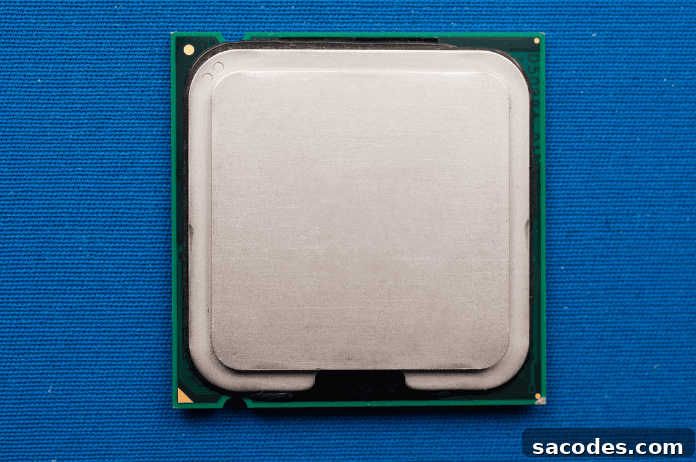
A processor, also known as a central processing unit (CPU), executes instructions from programs and the operating system, performing calculations and managing data flow between memory and peripherals. It interprets software commands and turns them into actions performed by other hardware components like the GPU, storage, and network interfaces. This orchestration is what allows applications to run, files to open, and devices to communicate efficiently.
Processor Buying Guide: What to Consider When Choosing a CPU
Selecting the right processor affects your system’s performance, longevity, and total cost of ownership. Below are the primary factors to evaluate when shopping for a CPU, explained in practical terms to help you make an informed decision.
Performance
Performance is determined by multiple attributes: clock speed (GHz), number of cores and threads, cache size, and architectural efficiency. Higher clock speeds and more cores typically improve performance, but real-world gains depend on the tasks you run. Single-threaded workloads like some games benefit from higher clock speeds, while multitasking and content creation utilize multiple cores more effectively. Consider the types of applications you use most and balance core count and clock speed accordingly.
Compatibility
Ensure the CPU is compatible with your motherboard’s socket and chipset. Different processors require different socket types, and not all motherboards support every CPU generation. Check your motherboard’s specifications for supported CPU models and BIOS requirements. Compatibility also extends to memory support and PCIe version, which can affect upgrade paths and peripheral performance.
Energy Efficiency
Energy efficiency affects power draw, heat output, and operating costs. More efficient CPUs consume less electricity and usually run cooler, which benefits longevity and stability. For laptops and compact desktops, battery life and thermal constraints make efficiency a top priority. In desktops, efficiency can reduce noise from cooling fans and lower electricity bills over time.
Cooling Requirements
Cooling is a critical, often overlooked factor. Many processors ship with stock coolers suitable for normal use, but high-performance or overclocked systems typically require aftermarket air or liquid cooling solutions. Adequate cooling maintains sustained performance and prevents thermal throttling during heavy workloads. When building a powerful rig for gaming, streaming, or rendering, plan for a cooling system that matches the CPU’s thermal design power (TDP) and expected load.
Brand and Model
Two major CPU manufacturers dominate the consumer market: Intel and AMD. Each brand offers a range of models with different strengths. Intel processors often emphasize single-core performance and energy efficiency, while AMD models frequently provide strong multi-core performance and excellent value in certain segments. Compare specific models and benchmarks relevant to your typical workloads rather than relying solely on brand reputation.
Price and Value
Budget is always a major factor. High-end CPUs deliver top performance but come at a premium. Spending more than required for your actual needs can be wasteful, while underspending can limit productivity or gaming performance. Aim for a processor that provides the performance you need today with reasonable headroom for future demands, without overshooting your budget.
Final Thoughts
When choosing a processor, prioritize the factors that align with your use case: performance characteristics for gaming or content creation, compatibility with your existing hardware, energy efficiency for mobile or quiet builds, and appropriate cooling solutions for sustained workloads. Evaluate brand and model options with real-world benchmarks and pick a CPU that offers the best balance of performance, efficiency, and price for your needs. Making the right choice ensures a responsive system that serves you well for years.