
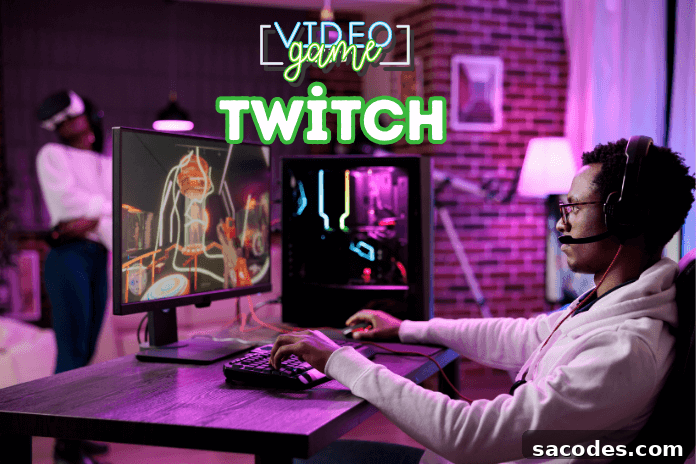
Twitch has become one of the most popular live streaming platforms on the internet. Launched in 2011 as a spin-off focused on gaming from Justin.tv, Twitch now hosts millions of users who stream and watch content ranging from video games and e-sports to music, creative projects, and live events.
History and Growth of Twitch
Originally created as a gaming-focused section of Justin.tv, Twitch quickly attracted a dedicated audience. In 2014, Amazon acquired the platform, providing resources that helped scale its infrastructure and expand features. Since then, Twitch has continued to evolve with improvements to streaming technology, moderation tools, and creator support programs.
How Twitch Works
Twitch enables anyone to broadcast live video and interact with viewers in real time. Streamers can play games, host talk shows, perform music, create art, or stream IRL (in real life) activities. Viewers watch streams live, send messages in chat, subscribe to channels, and support creators through donations, bits, and channel subscriptions.
User Base and Demographics
The platform’s audience tends to skew younger and tech-savvy, with strong engagement from communities centered on gaming and popular culture. This active user base has turned Twitch into a cultural hub where content creators and fans build communities around shared interests.
Becoming a Streamer on Twitch
Starting a channel on Twitch doesn’t require professional-grade equipment. A basic setup typically includes a computer, a stable internet connection, and broadcasting software. Many streamers begin as a hobby, and with consistency and audience growth, streaming can become a viable professional path.
Twitch and E-sports
E-sports is among the platform’s most-watched content categories. Major tournaments and competitive events draw large live audiences on Twitch, helping drive both the growth of e-sports and the platform’s visibility worldwide.
Revenue Streams on Twitch
Twitch supports multiple monetization options for creators. Streamers can earn through subscriptions, ads, donations (bits), and sponsorships. The platform itself generates revenue primarily from advertising and partnerships.
Community and Interaction
One of Twitch’s core strengths is its ability to foster strong communities. The interaction between streamers and viewers—via chat, emotes, and community events—creates a sense of belonging that turns streams into regular social experiences rather than one-way broadcasts.
The Future of Twitch
Twitch continues to iterate with new features and updates aimed at improving user experience and expanding content diversity. Its future will be shaped by technological advances, evolving creator tools, and shifting viewer preferences, while maintaining its role as a leading live streaming destination.
Twitch has established itself as a defining live-streaming platform of the digital age, offering unique opportunities for creators and audiences to connect, collaborate, and entertain. Success on the platform depends on consistent content, meaningful community engagement, and adapting to new tools and trends.
How to Open a Twitch Channel
1. Sign Up for Twitch
- Visit Twitch.tv and choose the sign-up option.
- Create an account by providing a username, password, birthdate, and email address.
- Choose a username that reflects your channel’s theme and is easy to remember.
2. Verify Your Account
- Check the email you used during registration for a verification link.
- Click the verification link to confirm your account and unlock key features.
3. Install Streaming Software
- Choose broadcasting software such as OBS Studio, Streamlabs OBS, or XSplit.
- Download and install the software best suited to your setup and goals.
- Familiarize yourself with scenes, sources, and basic configuration options.
4. Connect Your Streaming Software to Twitch
- Open your streaming application and locate the stream settings.
- Obtain your stream key from your Twitch dashboard and paste it into your software.
- Double-check connection settings to ensure your stream will broadcast properly.
5. Configure Stream Settings
- Adjust video resolution, bitrate, and frame rate according to your internet speed and hardware.
- Set up audio sources and test microphone and desktop audio levels before going live.
6. Customize Your Channel
- Personalize your channel page with a profile image, banner, and an informative channel description.
- Create panels that explain rules, schedules, donation information, and social links (if applicable).
7. Start Your First Stream
- When you’re ready, click “Start Streaming” in your broadcasting software to go live.
- Monitor chat and stream health, and make adjustments as needed while live.
8. Build a Community and Engage
- Interact with viewers through chat, answer questions, and acknowledge new followers and subscribers.
- Keep a consistent schedule to help viewers know when to tune in and grow engagement over time.
Tips and Best Practices
- Define Your Channel Theme: Decide whether your content focuses on games, music, art, talk shows, or variety streaming.
- Improve Visibility: Use overlays, clear titles, tags, and attractive thumbnails to draw viewers.
- Invest in Equipment: A good microphone and camera can significantly improve perceived quality.
- Foster Viewer Relationships: Be responsive, show appreciation, and create a welcoming community atmosphere.
Opening and growing a Twitch channel is achievable by following these steps and staying patient and consistent. Over time, quality content and active community engagement are the keys to building a successful streaming presence.