
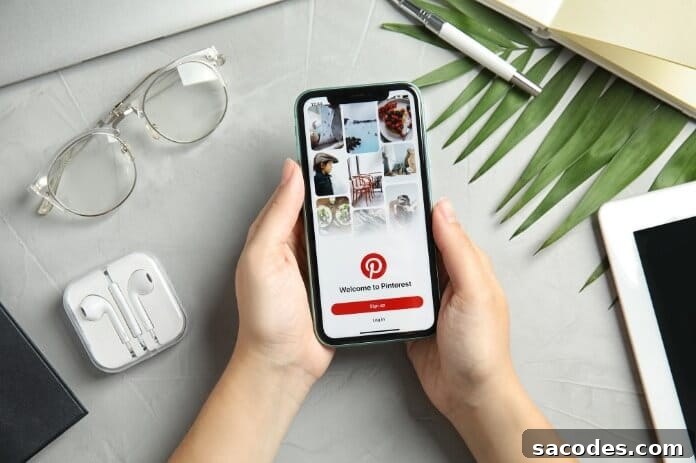
Pinterest is a social platform where users create digital boards and add visual content such as images and videos. People collect and organize visuals by interest—fashion, travel, recipes, home décor, hobbies—and share them with others. Users can follow other profiles and save images from their boards. Pinterest’s primary goal is to help people discover visual ideas and inspiration relevant to their interests.
IMPORTANCE OF PINTEREST FOR BUSINESSES
Pinterest for businesses is a powerful channel in a social media marketing strategy. Brands and small businesses can showcase products or services, increase brand awareness, and reach potential customers through visually appealing content. Key advantages of using Pinterest for business include:
- Visual-first platform: Pinterest emphasizes images and videos, making it ideal for businesses with visually attractive products or creative services. Companies can create boards to display collections, lookbooks, product galleries, or project portfolios.
- Targeted audience reach: While Pinterest has historically attracted a larger female audience, its user base is broadening across genders and demographics. Businesses can target audiences by categories, keywords, and interests that align with their offerings.
- Referral traffic to websites: Pins can include links back to product pages, blog posts, or landing pages, driving organic referral traffic to a business website. Optimized pin descriptions and rich pins improve click-through potential.
- Content marketing support: Pinterest is effective for distributing evergreen content such as blog articles, tutorials, recipes, and how-to guides. Repurposing content into attractive pins extends its lifespan and visibility.
- Advertising and promotion: Pinterest Ads enable businesses to promote pins to specific audiences using targeting options like keywords, interests, demographics, and act-alike audiences. Promoted pins can boost visibility, engagement, and conversions.
Using Pinterest strategically helps businesses build brand recognition, generate website traffic, and nurture potential customers through discovery-driven interactions.
HOW TO USE PINTEREST
- Create an account or sign in. You can register with an email address or log in with supported social sign-ins.
- Complete your profile. Add a clear profile photo, a concise bio that highlights what you offer, and links to your website if you have one.
- Create boards to organize ideas. Boards let you group pins by theme—examples include “Home Renovation Ideas,” “Summer Outfits,” or “Healthy Recipes.” Use descriptive board titles and relevant keywords for search visibility.
- Save pins. Click the “Save” or Pin button to add images and videos to appropriate boards. Include detailed, keyword-rich descriptions to improve discoverability.
- Explore and search. Use the home feed for personalized recommendations, browse categories, and use the search bar with specific keywords to find inspiration and trends.
- Engage with others. Follow accounts in your niche, like and comment on pins, and collaborate on group boards to extend reach and build community.
- Consider a business account. Switching to a Pinterest business profile unlocks analytics, rich pins, and advertising options to help measure performance and scale outreach.
IS PINTEREST AN APP?
Yes. Pinterest is available both as a website and as mobile applications for iOS and Android. The mobile app provides full access to profile management, board creation, saving and sharing pins, and browsing personalized content on the go.
COMMON USES OF PINTEREST
Pinterest serves many categories including photography, art, fashion, food, travel, interior design, crafts, and DIY projects. Its core use cases are discovery, idea collection, visual bookmarking, and planning. Users rely on Pinterest for inspiration when planning purchases, events, home projects, creative work, or new recipes.
The platform also integrates with browser extensions and sharing tools that let users save images from the web directly to their boards, making it easier to gather ideas while browsing other sites.
WHO USES PINTEREST?
Pinterest’s audience primarily consists of people looking for visual inspiration organized by interest. While many users are active in areas like fashion, home décor, cooking, travel, and crafts, Pinterest’s content spans other topics as well—health, technology, sports, automotive and more. The platform appeals to both individual creators and professionals seeking to discover, plan, and save ideas.
UNDERSTANDING PINTEREST FEEDS
Pinterest feeds are personalized streams of content tailored to each user’s interests and activity. Major feed types include:
Home Feed
The main feed mixes pins from followed accounts, topic suggestions, and algorithm-recommended content based on your activity and saved pins.
Following Feed
This feed shows recent activity from accounts and boards you follow, making it useful for tracking creators and brands you prefer.
Business Feed
Business accounts see tailored content related to brand interactions and industry topics, which helps businesses monitor trends and inspiration relevant to their market.
Collection Feed
Pins saved in specific collections or boards appear here, helping users revisit grouped ideas and plan projects more efficiently.
Personalized feeds help users discover new interests and find content they might not have encountered otherwise, making Pinterest a valuable tool for both personal inspiration and business marketing.