
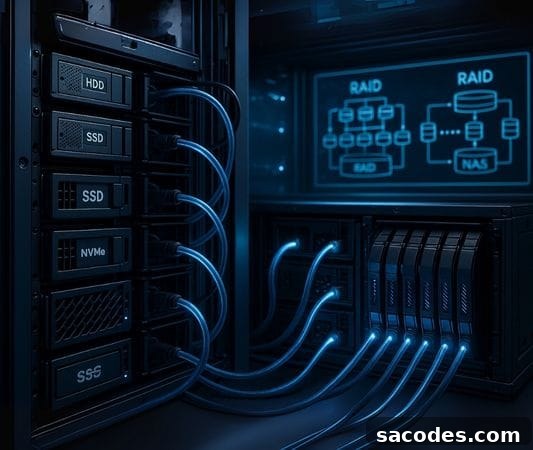
As digital data grows rapidly, server storage solutions have become essential for businesses and individual users alike. A reliable storage infrastructure is critical for hosting websites, applications, databases, backup systems, and media files in a secure, fast, and sustainable way.
This article provides a comprehensive guide to server storage types, typical use cases, advantages, and selection criteria to help you choose the right solution for your needs.
What Is Server Storage?
Server storage refers to the storage infrastructure—either physical or virtual—that a server uses to store and process data. A robust server storage system must deliver high availability, fast access, and strong security. The overall performance and efficiency of servers are closely tied to the storage technology in use.
Main Types of Server Storage
HDD (Hard Disk Drive) Storage
- Uses traditional spinning-disk technology.
- Cost-effective for large-capacity storage needs.
- Preferred for archival storage and large media libraries.
- Read/write speeds are lower compared to solid-state technologies.
SSD (Solid State Drive) Storage
- No mechanical parts; stores data electronically.
- Ideal for high-performance server requirements.
- Well suited to web applications, databases, and systems that require low latency.
- More expensive than HDDs but delivers significantly higher speeds.
NVMe SSD Storage
- An advanced form of SSD that connects directly over PCIe for much higher throughput.
- Provides the fastest read/write rates for server workloads.
- Recommended for cloud servers, high-traffic web projects, and database servers.
RAID Configurations (Redundant Array of Independent Disks)
- Combines multiple disks into a single logical unit with specific layouts.
- Improves data redundancy and can boost performance depending on the RAID level.
- Common configurations include RAID 0, 1, 5, 10, and others tailored to performance vs. redundancy trade-offs.
- Often used where continuous availability and higher fault tolerance are required.
NAS (Network Attached Storage)
- A centralized storage device accessible over a local network.
- Allows multiple devices to share and access the same data pool.
- Ideal for backup solutions, small offices, and home users who need shared storage.
SAN (Storage Area Network)
- A high-speed, dedicated network that provides block-level storage access.
- Designed for large data centers and enterprise environments.
- Delivers top-tier performance for data integrity, speed, and scalability.
When to Choose Each Server Storage Solution
| Need / Project Type | Recommended Storage Type |
|---|---|
| Website hosting | SSD or NVMe SSD |
| Large data archives / media files | HDD |
| Database operations | NVMe SSD + RAID 10 |
| Small office network | NAS |
| Advanced enterprise systems | SAN or RAID 5/6 configurations |
| Daily backups | NAS or RAID 1 |
- Create a backup plan: Every storage deployment should include backup and recovery strategies to protect against data loss.
- Data security and access control: Encryption and access management are essential, especially for systems holding customer or sensitive data.
- Pay attention to I/O performance: Application speed depends directly on the storage’s read/write capability and latency.
- Scalability: Choose storage that can be expanded as needs grow to avoid costly migrations later.
- Energy efficiency: For physical servers, selecting energy-efficient storage reduces operating costs and environmental impact.
Hosting Types Compatible with Server Storage Solutions
Web Hosting
- Often provided on shared SSD or traditional HDD infrastructure.
- Suitable for single-site projects and low-traffic sites.
- Limited ability to customize the underlying storage architecture.
- Well suited for small business websites, personal blogs, and basic corporate pages.
WordPress Hosting
- Typically uses high-speed SSD or NVMe SSD storage for faster content delivery.
- Optimized specifically for WordPress with built-in caching and update management.
- Offers features like caching, CDN integration, and automated maintenance to improve performance and SEO.
Cloud Server
- Can be provisioned with SSD, NVMe, or advanced RAID configurations.
- Provides easy scalability so storage capacity can grow with your project.
- Suitable for high-availability and high-traffic applications, with options for snapshots, backups, and automated recovery.
VDS (Virtual Dedicated Server)
- Virtualized environment on shared hardware that supports customizable disk configurations.
- Offers NVMe disks, RAID support, and manual configuration options.
- Recommended for developer teams, web agencies, and growing projects that need more control than basic shared hosting.
Dedicated Server (Physical Server)
- Provides full physical control over hardware and storage choices.
- Supports HDD, SSD, NVMe, or hybrid RAID setups tailored to specific workloads.
- Ideal for high-traffic applications, database administration, and large-scale data hosting.
- Can integrate with external NAS/SAN systems and allows physical disk replacement and RAID management.
Right Storage, Efficient Server
Choosing the right server storage solution is crucial for the success of your project. Balancing performance, security, data accessibility, and cost will simplify system administration and improve user experience. Whether you manage a small website or build large-scale enterprise systems, carefully evaluating your storage needs and selecting appropriate technologies keeps your infrastructure reliable and future-ready.
Analyzing storage requirements—capacity, performance, redundancy, and scalability—helps you make informed decisions and stay one step ahead as your data and workloads grow.