Money
Web Hosting and Setting Up Your Own Site on a tight budget
It may seem like a daunting task when you start researching ways to make your own site. From Web design to hosting, there are plenty of things to think about before you start a

This briefing will explore the steps needed to create your own site, no matter your skill level. It will also provide some cash-saving tips for creating a site on a tight budget. Whether you are creating a site for your business or a personal site, you don’t have to spend plenty of money to create the perfect site.
Why You Need a Site
These days, nearly everything is done online. Studies have shown that we spend more than a quarter of our time online, whether we’re browsing social media, reading news, or shopping. Because we’re so connected to technology, it’s especially key for businesses to have a Web presence. A professional-looking site is the best way to introduce people to your business and increase credibility. It also allows businesses to highlight items and services in a clear way. Businesses that don’t have an Internet presence are bound to be left behind by their competitors.
Websites aren’t just beneficial for businesses, though. There are many reasons why a personal site could be useful. If you’re in the creative, media, or digital industries, a personal site is a useful place to feature your content and showcase your talents. It’s also a great way to control your branding when prospective employers or contractors search for your name. Individuals may also want to create a site related to a particular hobby or interest. Whether your passion is fashion, cooking, or sports, a personal site can be a wonderful creative outlet.
Many people worry about the time, effort, and cost of making a site from scratch. The thought of web design and hosting costs can seem overwhelming to someone who has never created a site before. Luckily, there are many free resources and discounts offered, so you can build the perfect site on a tight budget! From coupon codes for web hosting deals to do-it-yourself coding classes, creating the site you want doesn’t have to break the bank.
Web Design and Setup
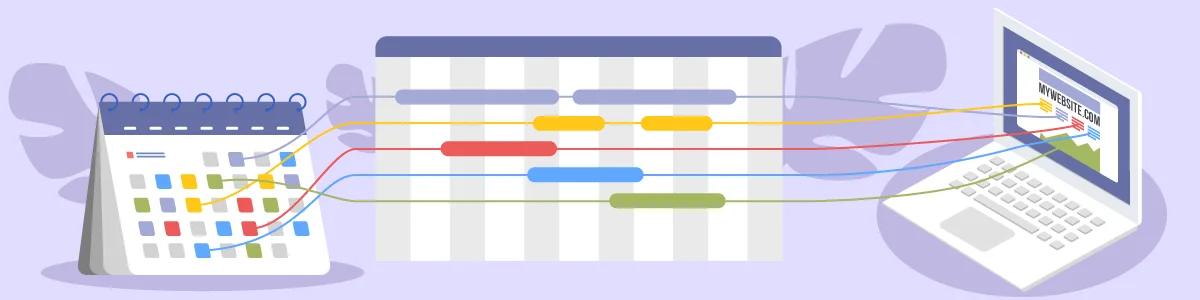
To create your own site, there are generally six stages in the design and setup process:
- The individual defines the project that they wish to have completed and drafts a timeline of when the project can be expected to be done. If they’re working with a Web designer, the timeline will be agreed upon together.
- The site structure is defined so that all parties know what to expect.
- The designer begins working on the visual design of the site.
- Site development commences, during which the actual site is built.
- The designer tests elements of the site to be sure that all of the site’s features work.
- The site is launched.
Whether you plan on hiring a Web designer to create your site or you’re trying to do it all by yourself, it’s key to have a plan so that your site has all of the elements it needs. The following resources may be useful in defining the scope of your project and making sure all necessary elements are included on your site:
- A Comprehensive Site Planning Briefing: This uses a construction project analogy to explain why site planning is so key.
- Ways to Launch a New Site When You Have Zero Experience: If you’re a complete beginner, this is a great place to start.
- Instagantt: This template allows users to create a detailed project plan and Gantt-style timeline visualization.
- Develop a Project Plan for Your Site: This step-by-step briefing outlines the basics of ways to build a site.
- 80 Things to Check Before, During, and After Launching a Site: This comprehensive briefing will help you be sure everything on your site is in working order.
If you want to keep the web design process as inexpensive and efficient as possible, follow these tips:
- Be sure the scope of your project is very clear. Compile a list of “must-haves” that you absolutely need your site to include and eliminate any unnecessary features to save time and money.
- Use royalty-free images on your site. Buying the rights to publish photos and images on your site can be costly. Royalty-free image websites like Pixabay and Pexels offer professional stock photos that you can use on your site completely free of charge.
- Do as much as you can in-house. From writing content to creating graphics, the easiest way to spend less on a site design project is to do it yourself.
- Consider applying a low-cost or free pre-made template for your site. While a fully customized site may sound appealing, many times pre-made templates look just as good and can save you a bundle on design costs.
- Keep your site simple. Only include the features, webpages, and multimedia that you really need for your site to be professional and effective.
There are certain basic web design tenets that make a site look attractive. When planning and designing your site, these are some key things to remember:
- Choose simple fonts that are easy to read. Not only will it keep visitors focused on your message, it’s also more accessible for people with vision impairment.
- Don’t use too many fonts. It makes websites look cluttered and difficult to read.
- Choose an appropriate color scheme for your site. Colors should have enough contrast so that words are easy to read. They should also be appropriate for the object – red generally expressed urgency, while blue tones are more relaxing.
- Be sure your call-to-action is clear. What do you want people to do once they get to your site? Whether you want them to sign up for your newsletter or purchase an item, be sure that visitors know exactly ways to get there.
- Be consistent throughout your site. Follow the same color and font schemes throughout the different pages.
- Overall, keep it simple. Every element of your site should have a purpose to avoid it looking cluttered or disorganized.
Coding and Programming Your Site
HyperText Markup Language, better known as HTML, is the building block of all websites. This code determines what a site will look like and how it will function. Cascading Style Sheets (CSS) can be implemented to further customize the layout and look of the site, while scripting languages like PHP help the backend of the site function.
There are plenty of classes you can take to help you perfect your coding skills. You can consult your local university, community college, or technical school to see if they’re offering in-person classes. Another choice is to take online classes. There are many sites offering coding and programming classes for beginners and professionals alike:
- Codecademy: This site is a great resource for everything from building websites to analyzing data. The basic content is free, and Codecademy coupons are offered for spending less on pro accounts.
- Udemy: Udemy offers a plethora of online classes, many of which cost just $14.99. Course topics include web development, design, and programming.
- Skylab Coders Academy: Take an intensive coding boot camp that will teach you ways to code professionally in just 11 weeks.
- Coding Dojo: From boot camps to self-paced classes, this site will help you learn all you need to know about coding.
- Fullstack Academy: This site offers online classes in programming, cybersecurity, analytics, and much more.
- CodeCanyon: This site offers plugins, codes, and scripts offered for purchase created by top-rated developers around the world.
If you’re on a tight budget, there are also plenty of free resources on the Internet that can help you improve your coding skills. Talented programmers from around the world have put together virtual classes and tutorials to help others learn the basics of coding. These choices are great for self-starters who just want to learn enough to code a site and don’t necessarily need a comprehensive programming education. Get started with the following briefings and tutorials:
- HTML Tutorial: This briefing will teach you all the HTML basics that you need to get started.
- CSS Basics: Learn ways to style your site exactly how you want it to look.
- Intro to HTML/CSS: This comprehensive program will teach you everything you need to know about ways to build a site from scratch.
- PHP Tutorial: Learning PHP will allow you to add more interactive and dynamic elements to your site.
- What Can PHP Do? See how you can use PHP to improve your site.
- Ways to Make a Site: Once you’ve mastered the basics, this briefing will help you put your knowledge to work.
If learning to code isn’t your thing and you can’t afford to hire a web designer to create your site, there are many inexpensive and free templates that you can download and customize. Whether you’re looking for something fun or professional, you’re bound to find the perfect theme for your site:
- Open Designs: This site has over 2,000 Open Source site templates that can be downloaded for free.
- Wix: Along with free web hosting, Wix also offers a mix of site templates created by designers.
- Webflow: Create a professional-looking site visually without writing a line of code.
- Colorlib: This site has free WordPress themes and site templates at low-priced prices.
- WordPress Themes: Creating a site on WordPress? The site offers thousands of themes.
Web Graphics & Images
Well-designed graphics on a site can capture visitors’ attention and make the site look more professional. Good site graphics should enhance a site and direct users to the details on a page rather than distract from it. It’s also key that the file sizes of the images aren’t too large so that they do not slow down the load time of the site.
Luckily, you don’t need plenty of graphic design experience to create beautiful images for your site. These resources will help briefing you on your journey to setting your site up with dynamic images:
- Eight Graphic Design Basics You Need to Know: Get a basic rundown of common graphic design elements so that you can make your site shine.
- Web Design for Beginners: This briefing explains the basics of Web design and the elements you should pay attention to.
- Ways to Optimize Images for the Web and Performance: Learn ways to properly optimize your images so they don’t slow down your site’s load time.
- Why Image Formats Matter for a Fast Site: Learn ways to use.jpg and.png images on your site for a faster site.
- Vector vs. Raster: Learn the difference between these two image types and the best times to use them.
There are plenty of websites that offer free templates and budget-friendly designs that can be customized to fit your site’s design:
- Canva: Canva is an easy and intuitive site that allows you to create custom logos, videos, graphics and more, all for free.
- Visme: Choose from a mix of stock images or upload your own.
- Crello: This simple graphic design site allows you to make graphics of all kind for your site.
- Snappa: You don’t need to know anything about graphic design to create beautiful graphics on this site.
- PicMonkey: Edit your photos and create custom designs with PicMonkey.
- GIMP: If you want to try your hand at more complex graphics for your site, GIMP is free Open Source image editing software that allows for more customization.
Web Hosting and Domains

Before you launch your site, you will need to register a domain name and secure Web hosting. Picking the right domain name is a critical part of launching a site. Whether you’re creating a personal or business site, you’ll want your domain name to be easy to remember and as short as possible.
Once you create a site, it needs to be hosted on a server so that it is visible to other people on the Internet. Web hosting businesses offer a mix of plans for every need, from a small personal site with basic Web hosting to a huge corporate site with email hosting. Choosing a secure and reliable Web hosting business with minimal downtime is a key part of the site creation process.
Want to learn more about choosing the right domain name and hosting package? These resources will teach you what you need to know:
- Ways to Choose a Domain Name: These tips will help you choose the perfect URL for your site.
- Choose an Effective Domain Name: Follow these best practices for choosing a memorable and effective domain name.
- What Is a Top-Level Domain? Work out if you want your site to end in.com,.net,.org, or something else.
- Ways to Choose a Web Hosting Provider: This Web hosting details briefing provides everything you need to know about choosing the right hosting business for your site.
- A Beginner’s Briefing on Web Hosting: Learn all about shared hosting, cloud hosting, virtual private networks, and dedicated servers.
These are the most common types of web hosting you’ll encounter:
- Shared hosting: This is the best choice for budget-conscious users. Your site will be stored on the same server as multiple other websites, saving you money.
- Virtual private server hosting: This is a good middle ground between shared and dedicated hosting. Your site will be hosted in its own space, but still share a physical server with other websites.
- Dedicated server hosting: This will give you the most control over your site’s server. Your site is the only one on the server and you’ll have full access to the entire server.
- Cloud hosting: This is a hosting solution that runs via a cloud network, meaning resources are spread across several servers. This is a good choice for websites that may have high seasonal traffic requiring more resources some months and fewer resources during other months.
- Managed hosting: With this type of hosting, the hosting provider takes care of the day-to-day maintenance of the server, systems, and applications.
- Colocation: If you don’t want to keep your servers in-house or in a data center, you can rent space to store your server in a colocation center.
Along with reliability, you will also want to find a hosting business that’s low-priced, particularly if you’re on a tight budget. Here are some tips for keeping more cash on hosting costs:
- Many hosting businesses offer coupons and discounts, including HostGator, A2 Hosting, and Dreamhost. Take advantage of these discounts to save on your hosting package.
- You can spend less on Web hosting by buying a multi-year plan rather than a yearly or monthly plan.
- Consider shared web hosting, which is a hosting service where multiple websites live on one web server. This is generally among the most economical choices for hosting. There are some limitations with shared web hosting, including limited resources and security issues. Weigh the pros and cons before you decide on shared web hosting.
- Be sure you’re only paying for the choices you need. Hosting businesses may try to convince you that you need a package with plenty of extra services. Understand what your package contains and consider sizing down to reduce costs.
- Look for special offers. If you’re not in a huge rush to create your site, be on the lookout for special deal days from hosting providers, particularly during Black Friday & Cyber Monday.
- Some hosting businesses will offer you a discount if you bundle the purchase of your domain name with a hosting package. GoDaddy is one such business.
- When you’re renewing your hosting package, consider transferring your domain to a new provider. Many hosting providers will offer you a discount to switch to get your business.
- Ask for a discount! It can’t hurt to contact the hosting provider’s shopper service team and ask if there are any discounts offered.
- Utilize free hosting. If you’re just starting out and don’t want to commit to hosting costs, free hosting services from sites like Wix or WordPress are useful. Remember that free hosting is limited and you’ll have to back up your site yourself.
Site Accessibility, Testing, and Management

When designing a site, you’ll want to be sure it’s accessible to all people regardless of disability. Making the Web accessible benefits people, businesses, and society as a whole. Accessibility improvements can include providing alternate text for images so that people who are visually impaired can understand the content and providing transcripts of audio for those who can’t hear.
You will also want to be sure that your site is responsive, meaning that it looks good and functions properly on desktops, tablets, and mobile phones. If you design your site for desktop computers and don’t ensure that it works properly on mobile, you may lose plenty of visitors.
Finally, you’ll have to run through your site and test it to be sure everything works as intended. Some things you will want to test are the site speed, spelling and grammar, links, navigation, title tags, and sitemap.
The following resources will help you be sure your site is accessible, responsive, and functional:
- Introduction to Web Accessibility: Learn why accessibility is so key and ways to make a site that is accessible to all people.
- Accessibility Basics: This briefing from the U.S. government describes what makes a site accessible.
- Am I Responsive? This tool allows you to see what your site looks like on different devices.
- The Beginner’s Briefing on Responsive Web Design: This provides tips and tricks to be sure your site is fully responsive.
- Ways to Test a Site Before You Launch: This useful checklist includes everything you should test before launch.
Whether you are creating a big site with many pages for your business or want to keep more cash on a personal hobby site, there are plenty of ways to create a professional-looking site on a tight budget.