
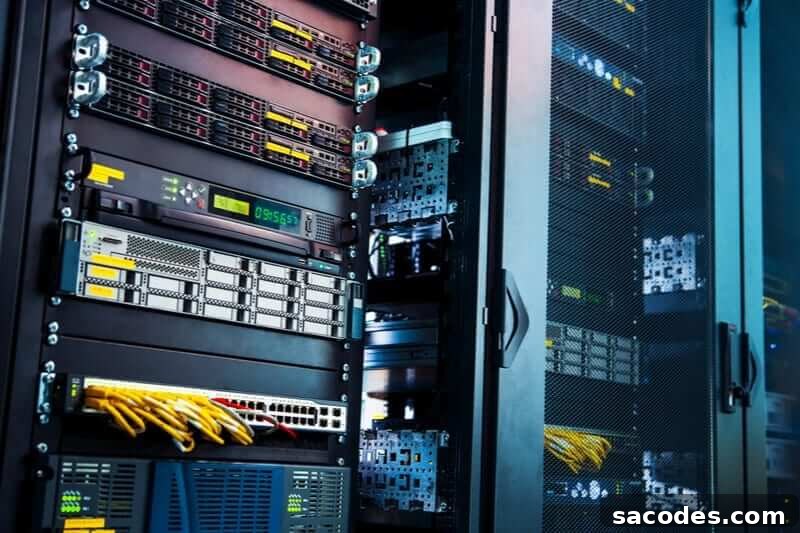
Server refers to the hardware and software systems that store, manage, and deliver digital data. Server systems host websites, email services, and databases on the internet so that users can access them reliably and securely.
Although servers are often described as specialized computers, they are not just physical devices. They combine powerful hardware with purpose-built software to provide reliable data hosting. Servers are built with robust components and often enhanced with redundant systems, advanced cooling, and network interfaces to ensure secure data transfer and continuous 24/7 availability without interruption.
Difference Between a Server and a PC
Understanding how servers differ from personal computers is important for anyone evaluating infrastructure or planning a digital project. While both can store and process data, they are designed for fundamentally different purposes. Key distinctions include:
- Primary purpose: Servers are engineered to host, serve, and manage data and services for multiple users or applications. Personal Computers (PCs), short for “Personal Computers,” are designed for individual, interactive use and general-purpose tasks.
- Availability and reliability: PCs are typically used intermittently for daily tasks and are not built for continuous operation. Servers are designed for nonstop operation with components and configurations that support high availability, redundancy, and long uptimes.
- Hardware and performance: Server hardware emphasizes reliability, scalability, and sustained performance under load. This often includes enterprise-grade CPUs, ECC memory, hot-swappable drives, RAID configurations, and redundant power supplies—features that are uncommon in consumer PCs.
- Management and remote access: Servers are commonly managed remotely, often with management interfaces and automation tools for monitoring, updates, and backups. PCs are typically managed by the end user with local access in mind.
Difference Between a Server and Hosting
Clarifying the difference between servers and hosting helps remove confusion when choosing services. While the terms are related, they refer to different layers of the infrastructure and service model.
A server is the underlying system that stores and serves data. Different server types—physical dedicated servers, virtual servers, or cloud instances—can be tailored to different needs and grant varying levels of control to the user.
Hosting, by contrast, is a service offered by companies that allocate server resources to customers. Hosting plans vary widely: shared hosting places multiple customers on one server with limited control; virtual private servers (VPS) provide isolated virtual environments; dedicated hosting assigns an entire physical server to a single customer; and cloud hosting provides scalable, on-demand resources. Hosting services are typically managed and packaged by providers, which can limit direct access to some server-level settings but simplify maintenance, security, and support for users who prefer a managed experience.
How to Choose a Server
Selecting the right server requires matching the system to your project’s current needs and planned growth. Consider the following factors when making a choice:
- Define your requirements: Determine the workload, expected traffic, storage needs, and performance requirements of your project. Choose a server configuration that meets those demands.
- Scalability: If your needs may grow or shrink over time, prefer solutions that allow easy scaling—adding CPU, memory, storage, or bandwidth without long downtime. Cloud and virtualized environments often provide flexible scaling options.
- Storage and performance: Consider storage type (SSD vs HDD), I/O performance, and RAID or backup configurations to ensure data integrity and fast response times.
- Security and backups: Ensure the server or hosting provider offers strong security measures, regular backups, and disaster recovery options to protect your data and services.
- Management and access: Decide whether you need full administrative control (root access) or a managed service where the provider handles maintenance, updates, and monitoring.
- Budget and cost control: Balance initial cost with long-term operational expenses. Pay attention to bandwidth usage limits, licensing fees, and overage charges.
- Multiple accounts or isolation: If you plan to host multiple accounts or applications on the same server, specify this requirement so the provider can recommend appropriate isolation and resource allocation.
- Service level agreements and support: Choose providers that offer clear SLAs for uptime and reliable technical support to resolve issues quickly.
Finally, prefer providers that deliver responsive technical support and transparent service terms. Good support, clear scalability options, and robust security practices help ensure your server or hosting solution remains reliable as your project evolves.