
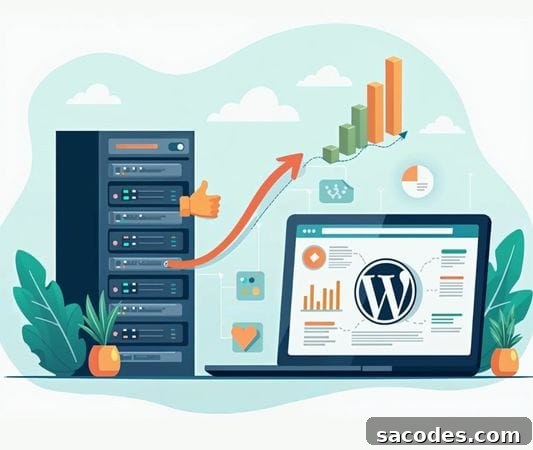
Managing a WordPress website is more than just creating content. As traffic grows, content accumulates and user expectations rise, your current infrastructure may become insufficient. That’s when WordPress hosting upgrades and migration strategies become essential.
In this article, we examine in detail how to migrate WordPress hosting, when you should upgrade your hosting, and tips for a fast, uninterrupted migration.
What Is WordPress Hosting?
WordPress hosting is a hosting service specifically optimized for WordPress-based sites.
It offers benefits focused on WordPress performance, speed optimization, update support, and security measures.
However, as your site grows, its requirements may increase and you may need to move to a more capable infrastructure.
When Should You Upgrade WordPress Hosting?
Certain signs indicate your current hosting plan is no longer adequate. Watch for these signals:
-
Traffic increases: A rapid rise in visitors demands more resources and capacity.
-
Slow page load times: Declines in speed hurt SEO rankings and user experience.
-
Hitting CPU and RAM limits: Stores and sites using plugins like WooCommerce often require higher CPU and RAM capacity.
-
Frequent errors and outages: These issues usually indicate that hosting capacity has been exceeded.
WordPress Hosting Upgrade Strategies
Upgrading WordPress hosting requires careful planning. Here are the core strategies to follow:
Perform a Needs Analysis
First, analyze your current site’s CPU, RAM, storage, and bandwidth usage. Identify where bottlenecks occur.
This analysis is critical when choosing the right hosting plan.
Choose the Right Plan
-
More CPU cores
-
Higher RAM capacity
-
SSD or NVMe disk infrastructure for faster storage performance
-
Backup and security services
Evaluate plans that include automated backups, proactive security scanning, and suitable SLAs for your project.
Prepare a Migration Plan
To avoid downtime during migration, plan the process carefully. Key considerations include:
-
Take full backups of files, the database, and media.
-
Plan DNS records and SSL certificate handling in advance.
-
Schedule the migration during low-traffic periods to minimize impact.
-
Run a test migration in a staging environment to uncover issues before going live.
How to Migrate WordPress Hosting
Migrating WordPress hosting requires technical attention and a clear checklist. The main steps are:
-
Take a complete backup: Include all files, the database, and media libraries.
-
Transfer files to the new host: Use FTP, SFTP, or SSH for secure transfer.
-
Migrate the database: Export and import MySQL databases carefully, and verify character sets and table prefixes.
-
Update wp-config.php settings: Align database host, name, user, and password with the new server details.
-
Point DNS records: Update your domain provider to point to the new server IPs and monitor propagation.
-
Install SSL certificates: Ensure HTTPS remains active and verify certificate validity.
-
Test the migration: Check the site across devices, validate forms, e-commerce flows, and third-party integrations.
Important Considerations During Migration
-
Maintain regular backups to prevent data loss at every stage.
-
Run speed and UX tests after migration to confirm improvements in performance.
-
Preserve URL structure to protect SEO rankings and avoid broken links.
-
Update cache plugins and CDN settings to ensure cached content and edge delivery are correctly configured.
-
Aim for minimal downtime by coordinating DNS TTL changes and performing final syncs at off-peak times.
Benefits of Upgrading and Migrating WordPress Hosting
-
Faster page load times
-
Reliable performance even under high traffic
-
Improved SEO rankings
-
Enhanced security and backup capabilities
-
Greater customization and flexibility
WordPress hosting upgrade and migration strategies are critical actions that directly affect a website’s performance, security, and user experience.
With a well-planned migration, your project can become faster, more reliable, and easier to scale.
Remember that hosting is not just infrastructure—it’s the foundation of your success. Plan your migration carefully, invest in a strong hosting platform, and take your online presence to the next level.