Shopping
Briefing on Cybercrime, Privacy, and Staying Safe Online
Have you taken the time to protect yourself from cybercrime? From identity theft to targeted cyberstalking, cybercrimes are about as varied as in-person crimes. Unlike in-person
Interesting Cybercrime Statistics
- One out of every four U.S. shoppers has experienced a cybercrime, per a Gallup poll.
- Per the Pew Research Center, 62% of U.S. shoppers have experienced online harassment.
- Per a national survey by the Bureau of Justice Statistics, 67% of businesses had detected at least one cybercrime.
- Worldwide, spending on details security and cyber-safety exceeds $124 billion.
- U.S. shoppers are more worried about cybercrime than in-person crimes, per a Gallup poll.
- In 2018, there were 3 million identity theft and fraud cases, with the latter leading to a loss of $1.48 billion.
Unless we take the time to learn ways to stay safe online, we might fall victim to a mix of cybercrimes. Let’s look at the different types of cybercrimes and discuss some online safety tips for protecting yourself.
Examples of Cybercrime
There are several unique types of cybercrimes, but they often fall into these categories:
- Stealing: Online stuff is still real stuff. Most states in the U.S. have laws against hacking. Unauthorized access to data is a serious offense. Piracy is illegal. And stealing creative works, even if they’re “free” or memes, is copyright infringement.
- Online Harassment: “Trolling” is common, but most forms of threatening, stalking, harassment, and defamation are still illegal online and off. Hate speech and bullying can be very serious crimes as well.
- Identity Theft and Fraud: Pretending to be someone else is not seen as innocent in the law. Identity theft and Internet fraud are very much illegal. For further details browse our briefing: Protecting Your Identity While You Shop.
- Predators and Other Crimes: If it’s illegal offline, chances are good that it’s illegal online, whether it’s recording someone without their consent, sharing photos without their consent, or sending predatory messages to children.
In the 1990s, hacking was often the biggest concern in terms of cybercrimes, but today, online crimes are varied, creative, terrible, and dangerous.
A Glossary of Cybercrime Terms
Here’s a useful list of cybercrimes by type along with popular hacker words and lingo.
- Adware: Adware is a common type of unwanted software that tracks your browsing activities online to generate advertisements drawn from your browsing history, often resulting in pop-ups and ads that slow down your system.
- Botnets: “Zombie armies,” or botnets, are networks of computers controlled by an attacker. Often a hacker doesn’t own those computers; they will deploy malicious software, or a “bot,” that infects a bunch of connected computers on a network. Many people are a part of a botnet without noticing. An example of this is the Hajime botnet, which attacked everything from CCTV security systems to DVRs.
- Browser Hijacking: Some unwanted software will modify the settings of a Web browser like Chrome, Firefox, or Safari to change the home page, alter the search page, or capture sensitive data.
- Bug: Within the history of computers, this term is pretty ancient. It refers to a flaw in a program. Sometimes, bugs can be exploited by hackers.
- Cloaking: Sometimes, the content of a Web page looks different to humans versus search engines. That’s called cloaking. It’s a violation of Google’s Webmaster Guidelines.
- Cyberbullying: Bullying on digital devices is cyberbullying, and it can happen on social media, in texts, while gaming, in apps, and by email.
- Cyberstalking: This is a type of online harassment taken to the extreme, where someone stalks another person’s online activity, often to message and intimidate them. Per the Stalking Prevention Awareness and Resource Center, one out of every four stalking victims has been stalked through the use of technology, and 10% of victims have been monitored by GPS.
- Copyright: Copyright infringement is possibly the most common type of cybercrime. Technically, many meme formats break the law. Many people will claim “fair use,” but the actual law of fair use is much more complicated.
- Defamation: Defamation is possibly the second most common type of cybercrime because people don’t often sue for it. In a nutshell, it’s lying and ruining someone’s reputation. People make defamatory statements online all the time, but they are not technically legal.
- Dark Web: The dark Web is made of sites not indexed by search engines, typically ones involved in illegal or potentially illegal activities.
- DDoS: This terms stands for distributed denial of service (DDoS), and it’s more of a concern for site developers than consumers. DDoS attacks target a Web server with the goal of crashing it, often flooding it with traffic, data, or requests for data, often while applying a botnet or “zombie army.” Among the more famous recent examples is an attack against GitHub, which was hit with relentless traffic.
- Doxing: A cyberbullying tactic, this is the practice of publishing sensitive personal details online in the effort to harass and intimidate a target. It’s often used in retaliation by stalkers of semi-famous individuals.
- Encryption: The practice of encryption has been used by spies for centuries, but in the modern sense, it relates to scrambling data to make it unreadable unless the reader has a key to unscramble it. Many businesses now use data encryption to hide their employees’ and shoppers’ details.
- Exploit Kits: Hackers aim to exploit the bugs currently in a program. Exploit kits are tool kits that target those vulnerabilities in other software.
- Grooming: Grooming is a term used to describe the behaviors of child predators, who tend to use social media, chat rooms, games, and other online opportunities to prey on kids with low self-esteem, send messages to children, and ask for sexual messages/photos back.
- Hacking: Loosely defined, hacking is unauthorized access. A hacker is someone who uses technical knowledge to gain access to systems.
- Hate Speech: Hate speech is targeted speech that demeans someone “on the basis of race, ethnicity, gender, religion, age, disability, or any other similar ground,” and although it may seem to happen a lot online, with a marked increase worldwide, it is not acceptable in any format. It is also against the policies of most online platforms.
- Harassment: The online world is often a place of “aggressive pressure or intimidation,” so sometimes the law struggles to define and regulate online harassment. But if you feel unsafe because of that of someone else’s online behavior toward you, you may be being harassed.
- In-Game Orders: This is a recent scam involving tablet apps that targets children. While the game or app itself may be free, the in-game currency is not, and kids can be manipulated into making as much as thousands of dollars in online orders without their parents’ permission.
- Identity Theft: Identity theft is a huge problem in the online world, in which someone uses another person’s key credentials, like a Social Security number, to hijack their identity, applying it to apply for new bank accounts, get a loan, or make big orders. This often has a big negative impact on people’s credit scores, so definitely watch out for identity thieves and be smart about online orders.
- Malware: This term has been used quite a bit for many types of attacks. Malware is short for “malicious software” and refers to a type of software designed to damage a target. Often, malware is created to disrupt a computer system or gain unauthorized access to key data.
- Malvertising: Malvertising is short for “malicious advertising” and refers to the use of advertising, like pop-ups, to spread malicious software.
- Phishing: When a person is tricked into revealing their sensitive details, someone was “phishing” for it. There are hundreds of types of phishing scams, with the FTC discovering new scams regularly. It could refer to phone calls asking your grandmother for her credit card number, a fake registration/login window, an email from a Nigerian prince, or a real-seeming software update. Phishing can happen both online and off.
- PUPs: Potentially unwanted programs, or PUPs, are software choices that you never requested that were installed. Sometimes, while you’re downloading software, other programs can piggyback with it that you don’t notice until they’re on your machine.
- Ransomware: Malware that locks you out of your system, computer, or files until you pay the hacker or group a ransom is called ransomware. It can affect entire businesses or even parts of the government.
- Rootkit: A persistent type of malware that stays in a system and is activated every time it’s booted up, rootkits are extremely hard to detect.
- Social Engineering: Not all hacking involves code; sometimes, it merely involves tricking people. Social engineering is a form of phishing that involves individual manipulation to get key details, often via direct phone calls or emails. This is the form of phishing that involves fake shopper service agents or fake calls from the “hospital” for a relative. It’s the social aspect that can lead to cybercrime.
- Spearphishing: Spearphishing is a little bit more targeted than phishing, as it often involves pretending to be a close acquaintance, real business, or fake social network and targets a specific person, like a CEO or CFO.
- Spoofing: When someone pretends to be a legitimate source or person to gain a user’s confidence so that they’ll send their details, that’s spoofing. The most popular type of spoofing is email spoofing, which will imitate the email header of a legitimate source, like a bank.
- Spyware: Spyware is a type of malicious software created to monitor or spy on the target, often with the aim to steal details.
- VPN: A virtual private network, or VPN, establishes a point-to-point connection, extending a private network across a public network.
- Virus: Like a biological virus, a computer virus is a program that can replicate itself by modifying other programs. When they spread, viruses can cause chaos, like the ILOVEYOU virus, which led to $10 billion in damages.
- Worm: Like a virus, a worm can self-replicate, but it doesn’t need a host program to spread. It’s a standalone program that often uses a network. An example of a worm is the Nimda worm, named for “admin” spelled backwards.
- Zero-Day Threats: A threat or bug that hasn’t been patched yet, a “0-day” threat indicates that there have been zero days between noticing the bug and the possibility of an attack exploiting it. This makes this type of threat very popular for hackers.
Ways to Protect Yourself Online: 20 Internet Safety Tips
Only you are in charge of protecting yourself online. Learning about these trends and buzzwords is the first step, but here are some real, actionable steps you can take to avoid getting hacked or having your data stolen.
1. Don’t Use the Same Passwords for Everything
Per Google, 52% of users reuse the same password for multiple accounts, and 13% reuse the same password for all accounts. This opens up plenty of users to attack. A password manager like Dashlane or LastPass may help you to keep all of your passwords straight. If you don’t feel like paying, simply not repeating your passwords is ways to protect personal details online in a very simple, actionable way. See more tips from the U.S. government on creating better passwords.
2. Avoid Public Wi-Fi
Public Wi-Fi exposes you to many types of attacks.
3. Use a VPN
It’s a pretty complicated topic, but basically, a VPN will help hide a user’s IP address in the hopes that businesses, hackers, and people can’t trace someone’s location. A VPN can also help a user circumvent censorship, get around geo-restrictions, and stay anonymous. They often include data encryption, too. An example of a VPN is NordVPN software, which is offered to consumers.
4. Enable a Firewall
While operating systems like Windows now have built-in firewalls, adding a layer of security on the network level may still be worth your time.
5. Arrange Two-Factor Authentication (2FA)
Two-factor authentication (2FA) is all the rage at the moment. It often requires two of these three things: a code (like a password), a piece of hardware (like a cellphone text), or a biometric scan (like Apple’s Face ID). That means that hackers can’t access your accounts with just your password. You can use them for numerous apps and social media accounts.
6. Consider an Ad-Blocker
Downloading a verified ad-blocker as a browser extension not only gets rid of really annoying ads but speeds up your browsing and potentially defends you against malvertising. You can always allow specific pages that you know you can trust later.
7. Back Up Your Data
If someone were to use ransomware to lock up your data, what would you do? It’s best to have multiple copies of your key data in secure locations, whether it’s in the cloud or on a physical hard disk.
8. Use an Antivirus and Anti-Malware Program
But you don’t necessarily have to pay for it. Windows Security, which is built in, is on par with Kaspersky, McAfee, and Norton. The addition of an anti-malware program might be a good idea to add that extra layer of protection, though. When selecting premium anti-virus software, be sure to first look for coupons. Here are some choices:
- Kaspersky coupon codes
- McAfee coupon codes
- Norton coupon codes
9. Turn Off GPS Access for Your Apps
Dealing with online harassment can be rough, but this quick change can protect you or your children from cyberstalkers. Turn off your GPS on your Android phone or iPhone.
10. Understand Parental Controls
Be sure you have complete knowledge of your child’s online behavior, including tablets, phones, and computers. There are dozens of types of parental controls you can use to block details, contacts, and/or orders. Also, be sure to teach children safe online surfing practices and to not talk to online strangers.
11. Be Careful While Shopping
Don’t make orders on public Wi-Fi, be sure to only put in your payment details on sites beginning with https://, and consider applying a trusted service like PayPal.
12. Encrypt Your Hard Disk
Small-business owners or freelancers might want to consider paying for software to encrypt their local hard disk. Whether it’s worth it depends on the kind of work you do.
13. When in Doubt, Check the Domain
The rules of recognizing fake news sites also apply to online shopping, surveys, and any other phishing schemes.
14. Avoid Piracy
Torrents, pirated downloads, and sketchy software just increase your likelihood of downloading PUPs by accident.
15. Don’t Fall for Calls, Emails, or Texts Asking for Details
People don’t always get hacked by giving out personal details on the Internet: Sometimes, they fall for social engineering tactics via texts, phone calls, and spoofed emails that mimic real sources, like people providing aid after natural disasters, political survey collectors, and the IRS. Remember that the IRS does not call to demand payment over the phone, for instance.
16. Check Your Credit Report and Bank Accounts
Among the best ways to keep an eye out for identity theft is to check your bank account for fraudulent orders along with your credit report for unauthorized loans taken out in your name. You’re allowed one official free credit report each year, but beware of impostor websites offering a free report and asking for your Social Security number.
17. Do Those Annoying Software Updates
Windows updates, for instance, provide firewall and antivirus improvements. Ignoring them for long amounts of time will put you at risk. Actually do those pesky updates; don’t ignore them for long periods of time.
18. Delete Your Cookies Every Once in a While
Cookies are among the biggest factors impacting your privacy. Go into your browser and delete your cookies from time to time, as that’s what many businesses use to track your behavior. If you want a more extreme solution, you can arrange your browser to have a Do Not Track function by downloading Privacy Badger. Firefox also offers built-in tracking protection.
19. Watch for Weird Browser Extensions
While we’re on the topic of browsers, be sure no bloat has been downloaded, as browser hijacking can lead to some nasty stuff.
20. Check Your Privacy Choices on Social Media
Often, our online privacy and security suffers because of what we share with the world ourselves, so definitely check to see how much you’re sharing and with who:
- Make Your Facebook Account Private
- Protect Personal Details on Twitter
- Control Visibility on Instagram
- Change Your Privacy on Snapchat
- Manage Your Privacy on LinkedIn
- Change Your Privacy on Pinterest
Do this before you have an issue with a cyberstalker or harasser.
A Note About Cyberbullying and Social Media Safety
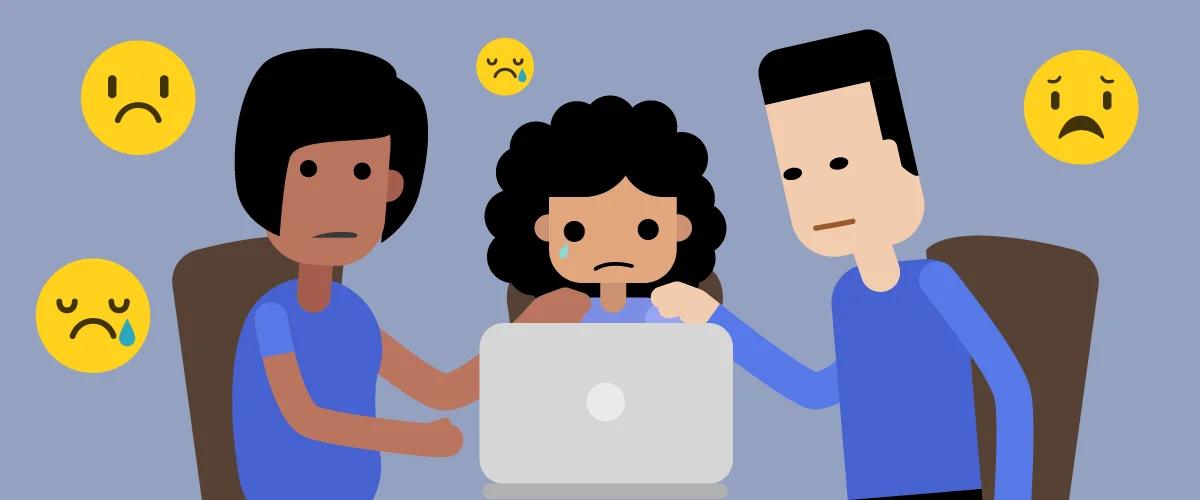
About 37% of young people between the ages of 12 and 17 have been bullied online, and only one out of ten teen victims will inform a parent or trusted adult. Cyberbullying has unfortunately become a hot new buzzword, but it leads to real, terrifying mental anguish. Students who are targets of cyberbullying are at greater risk of self-harm and nearly twice as likely to attempt suicide. It doesn’t only affect young people, either, with about 40% of adults experiencing cyberbullying. If you’ve been affected by cyberbullying, here are some online safety tips for handling and processing it:
- If someone harasses you, document it. Be sure to take screenshots, since commenters are known to delete posts later.
- Block the harasser. You don’t owe an abuser an argument. Use the capabilities of the platform to block them and create distance.
- Report the behavior to the platform.
- Report Abuse on Facebook
- Report Abuse on Instagram
- Report Abuse on Twitter
- Report Abuse on Tumblr
- Report Abuse on Snapchat
- Report Abuse on Reddit
- Protect your details from doxing. Here are a few ways to do that: Review content privacy, disable geolocation settings, and consider looking yourself up in a people-finder database.
- Do not engage or ask other people to engage. Resist the urge to give them any type of attention, as it often leads to more opportunities to hurt you and entices the abuser.
- Hang out with a community of supporters. While “just logging off” might help, it’s better to find a community or social support that’s not involved with the taunting.
- Pursue legal action if necessary. Remember that defamation is illegal and that the law is on your side.
- Find resources. Check out technology safety toolkits along with what the National Network to End Domestic Violence has to say.
Hopefully, with some of these steps and online safety tips, you can protect yourself from some of the worst forms of cybercrime. Remember that your emotional and mental health is as key as your finances, and do what you can to protect it.