
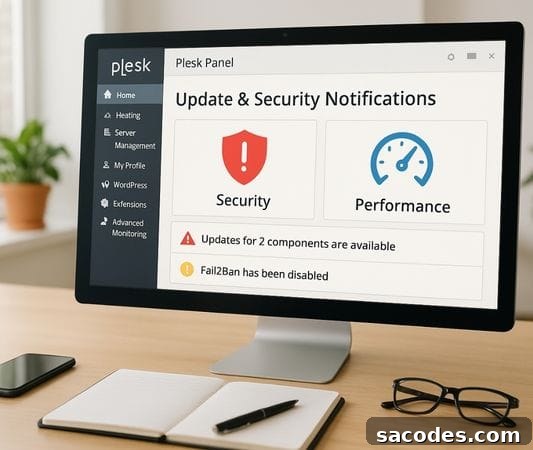
Anyone who manages a server shares two constant concerns: security and performance. No matter how solid your system is, neglecting updates will eventually cause problems. This is where Plesk Panel becomes important. Known for its simple interface and powerful features, Plesk makes managing websites, email, and databases much easier. However, installing Plesk is only the first step — keeping it up to date is essential.
Why Is Updating Plesk Panel So Important?
First, understand that Plesk updates aren’t only about adding new features. The most critical purpose is closing security vulnerabilities. Like any software, Plesk can have flaws discovered over time that attackers may exploit. If you skip updates, your server becomes a potential target.
Another major reason is performance improvements. Each new Plesk release typically fixes bugs, optimizes speed, and can help the panel use server resources more efficiently. Regular updates help maintain a smooth, responsive hosting environment.
How Should You Check for Plesk Panel Updates?
One of Plesk’s advantages is its ease of use. From the Plesk admin interface, go to “Tools & Settings” and then the “Updates” section to check for new releases. From there you can:
-
See the current Plesk version,
-
Find out whether updates are available,
-
Enable automatic updates if you prefer.
If you don’t want to manually manage the server constantly, enabling automatic updates is a practical choice that reduces management overhead and helps keep security patches applied promptly.
Back Up Before Updating
Many people overlook this step. Creating a full backup before applying updates is a golden rule. Occasionally, plugins or custom configurations may be incompatible with a new release. Without a recent backup, recovery can become difficult and time-consuming.
Plesk includes an integrated backup feature. Use “Tools & Settings > Backup Manager” to create a full backup before starting any update process — this is the safest approach.
Which Updates Are Most Critical?
Not all updates carry the same urgency. Security patches labeled as urgent should be applied promptly; they address known vulnerabilities and reduce the risk of exploitation. These updates often appear with clear priority markers.
Minor updates that add features can sometimes be delayed briefly if you prefer to wait for community feedback or for your extensions to catch up, since initial releases may have minor bugs.
Pay Attention to Plesk Extensions
Plesk is more than a control panel; it’s an ecosystem that runs many extensions. Add-ons like Let’s Encrypt, ImunifyAV, and WordPress Toolkit enhance functionality and security.
However, keep in mind: while updating Plesk itself is important, the extensions must be kept current as well. An outdated plugin can introduce vulnerabilities or stability issues equal to or worse than an unpatched core.
Performance Tips
Updating improves security and often boosts performance, but you can do additional optimizations to keep your Plesk Panel running smoothly:
-
Remove unnecessary extensions to reduce resource usage.
-
Use the “Repair Kit” or similar health-check tools regularly to maintain system integrity.
-
Clean log files periodically to free disk space and reduce I/O load.
What Happens If You Don’t Update?
You might think, “What harm is there in delaying an update a few weeks?” But postponing updates increases risk significantly.
-
Security vulnerabilities accumulate and expose your server to attacks.
-
Some applications (for example PHP or MySQL) can become incompatible with older platform components.
-
Your hosting users, if any, may experience slowdowns, errors, and instability.
Plesk Panel updates are essential for both security and performance. Make a habit of regular backups, install critical security patches without delay, and keep extensions up to date to maintain a reliable server environment.
Investing a little time to establish this routine will give you peace of mind and help ensure your server runs smoothly and securely.