
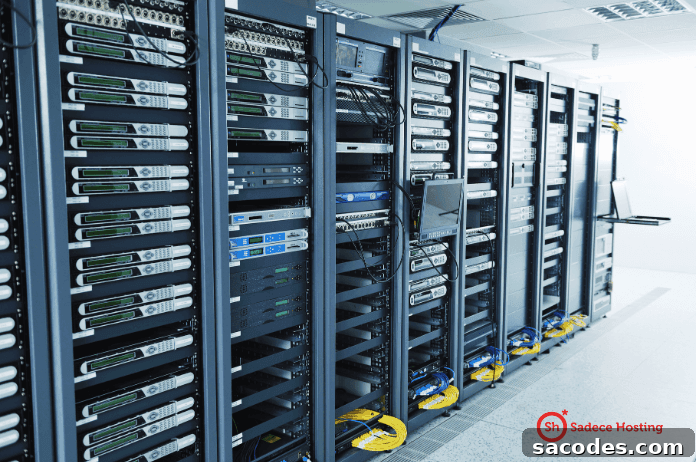
VDS (Virtual Dedicated Server) technology enables multiple users to run independently operating virtual machines on a single physical server through virtualization. This approach delivers dedicated-like performance and isolation while maximizing hardware utilization.
1. The Importance of Resource Sharing
Resource sharing is the foundation of VDS hosting. Multiple virtual servers share a physical host’s CPU, memory, storage and network resources. Shared resources increase efficiency and lower costs while enabling better utilization of hardware. Effective management of these shared resources is essential to prevent performance bottlenecks and minimize security risks.
- Type 1 Hypervisor: Installed directly on the hardware, offering the highest performance and strong resource control. Examples include VMware ESXi and Microsoft Hyper-V.
- Type 2 Hypervisor: Runs on top of a host operating system and is often used for development and testing. Examples include VMware Workstation and Oracle VirtualBox.
Both hypervisor types enable efficient allocation of resources and ensure fair distribution among virtual machines, but they differ in deployment scenarios and performance characteristics.
1.1 Resource Allocation and Management
Resource allocation guarantees that each virtual server has a defined amount of CPU, RAM and storage. For example, if a VDS is assigned 2 CPU cores and 4 GB of RAM, those resources are reserved and cannot be used by other virtual servers. This reserved allocation helps maintain consistent performance and predictable behavior under varying loads.
2. Isolation and Security
Isolation is the cornerstone of security and reliable performance in VDS environments. Each virtual server runs independently so that operations on one instance do not affect others. Proper isolation prevents unauthorized access between tenants and limits the impact of any single security breach.
2.1 Virtual Machine Isolation
Each virtual machine hosts its own operating system and applications. This independence reduces the risk that a compromise on one VDS will spread to others. Properly configured isolation also ensures that users cannot access each other’s data, reinforcing multi-tenant security.
2.2 Network Security and Isolation Techniques
Virtual LANs (VLANs), virtual firewalls and segmented network topologies are used to isolate network traffic and protect VDS instances. These techniques restrict access to authorized network resources and reduce exposure to external threats, improving overall security posture.
2.3 Use of Hypervisors
Hypervisor software acts as a control layer between the physical host and virtual machines, managing resource distribution and enforcing isolation. Solutions such as VMware, Hyper-V and KVM provide tools for resource control, isolation policies and performance guarantees so that each VDS receives the required compute and memory resources.
2.4 Firewalls and Network Isolation
Firewalls play a critical role in monitoring and controlling traffic between VDS instances. Network isolation strategies are designed to protect against malicious traffic and prevent data leakage. Technologies like VLANs and virtualized network functions can further strengthen these isolation measures.
3. Performance Optimization
Performance optimization closely ties into resource sharing and isolation strategies. Fair and intelligent distribution of resources ensures that each user attains the performance levels their applications require.
3.1 Resource Provisioning
Resource provisioning ensures each VDS receives designated CPU, memory and storage quotas. Provisioning can be static or dynamically adjusted so resources expand or contract in response to demand, maintaining performance during peak usage and conserving capacity during idle periods.
3.2 Load Balancing
Load balancing distributes workloads across available resources to prevent any single virtual machine from becoming a bottleneck. This is particularly important for applications with high concurrency or heavy processing needs, as it improves responsiveness and reliability.
4. Redundancy and Disaster Recovery
Redundancy and disaster recovery planning are vital for VDS deployments. Proper strategies protect against data loss and support rapid recovery after failures, ensuring business continuity and minimizing downtime.
4.1 Automated Backup Systems
Automated backup systems regularly copy data and system states, allowing quick restoration in case of a failure. Regular backups reduce the risk of data loss and make recovery processes predictable and efficient.
4.2 Disaster Recovery Scenarios
Disaster recovery plans define the steps to follow during a major outage, including restoration priorities and failover procedures. Well-developed scenarios help maintain operations, reduce service interruptions and preserve critical services during incidents.
Resource sharing and isolation techniques are essential to maximizing VDS performance and maintaining security. Proper allocation, strong isolation protocols, and proactive performance management are key to managing VDS systems effectively. When implemented carefully, these practices deliver cost efficiency and high user satisfaction, making VDS servers a compelling choice for modern web hosting solutions.