Home
How It Works, Eligible Items, and More — Home Depot Curbside Pickup
As a new homeowner, you most probably have an extensive shopping list of items, like wall hangings, window treatments, carpets, furniture, garden tools, and appliances
You also have to consider stocking up on basic tools to sort out the minor DIY or repair projects that you can handle yourself instead of spending money on external contractors.
It’s hard to stay within your budget when browsing through the aisles of home improvement stores because you’ll always find something your home needs that wasn’t in your budget. The best way to be sure that you stay within your budget is by applying the curbside pickup choice.
How Home Depot’s curbside pickup works
Home Depot curbside pickup is a convenient store pickup choice that makes it possible for shoppers to easily place an order online and have one of Home Depot’s friendly associates bring their items to them in the parking lot.
Not only does this give shoppers maximum convenience, but it also helps them avoid impulse orders.
Follow these steps to place an order:
Step 1: Create a Home Depot account (if you don’t already have one). To start the process, you can head over to www.homedepot.com and click on the “my account” choice in the top right corner.
You’ll be able to choose between a personal account (which is best for shopping for yourself and your household) and a Pro Xtra account (which is best for shopping for your business).
(Image Source)
Step 2: Set your store location (located in the top left corner) to your local store address. This way, you won’t have to drive far to pick up your order.
Luckily, there’s no shortage of Home Depot stores. Actually, in 2021, there were 2,006 stores in the U.S. alone.

Step 3: Start shopping by adding items to your cart. Look at the details in item descriptions to see whether specific items are offered for curbside pickup.
Step 4: When you’re done shopping, head over to your cart and arrange for curbside pickup by either selecting “Store Pickup” or “Ship to Store” for each item.
Step 5: Proceed to checkout by clicking the “Checkout” button. On the next page, you’ll be asked to fill in your payment details and email address. You’ll also be asked to choose whether you want to pick up your items in-store or curbside. Be sure the curbside choice is selected.
Step 6: Finalize the online checkout process. To place your order you can simply click the “Place Order” button. Once your order is processed and ready for collection, you’ll receive an Order Pickup notification email or text from Home Depot.
Step 7: Go to the store to pick up your order. Remember to take your ID with you. When you’re at the Home Depot parking lot, you can pull into a designated “Curbside Pickup” parking spot. Call the number included in the Order Pickup notification to let the staff know that you’re there.
Curbside pickup is offered at select stores every day during normal operating hours (9 am to 6 pm). The time of pickup is completely up to you. However, you have to pick it up within seven days.
With the growth of online shopping, shopper behavior is shifting drastically. Have a look at our Coupon Usage and Shopping Behavior Trends Report.
Why use Home Depot curbside pickup?
When asked about the usage of curbside pickup services, a combined 48% of U.S. consumers said that they used curbside pickup both before and during the Coronavirus pandemic. A further 35% of consumers said that they wanted to use it after the pandemic.

The reason why so many people used curbside pickup during the pandemic and are planning on applying it in the future is that it offers many benefits. These include:
- Less impulse shopping
- Saves time
- Saves money (when you use online promotions and coupons)
- Less exposure (since the exchange is contactless)
- Ideal for people with disabilities
- No hefty shipping costs
Is there a minimum order for Home Depot curbside pickup?
No, there are no minimum purchase requirements for Home Depot curbside pickup. As long as the online items are eligible for pickup, you can add as many items as you want to your cart.
What items are eligible for Home Depot curbside pickup?
Thousands of items at Home Depot are offered for curbside pickup.
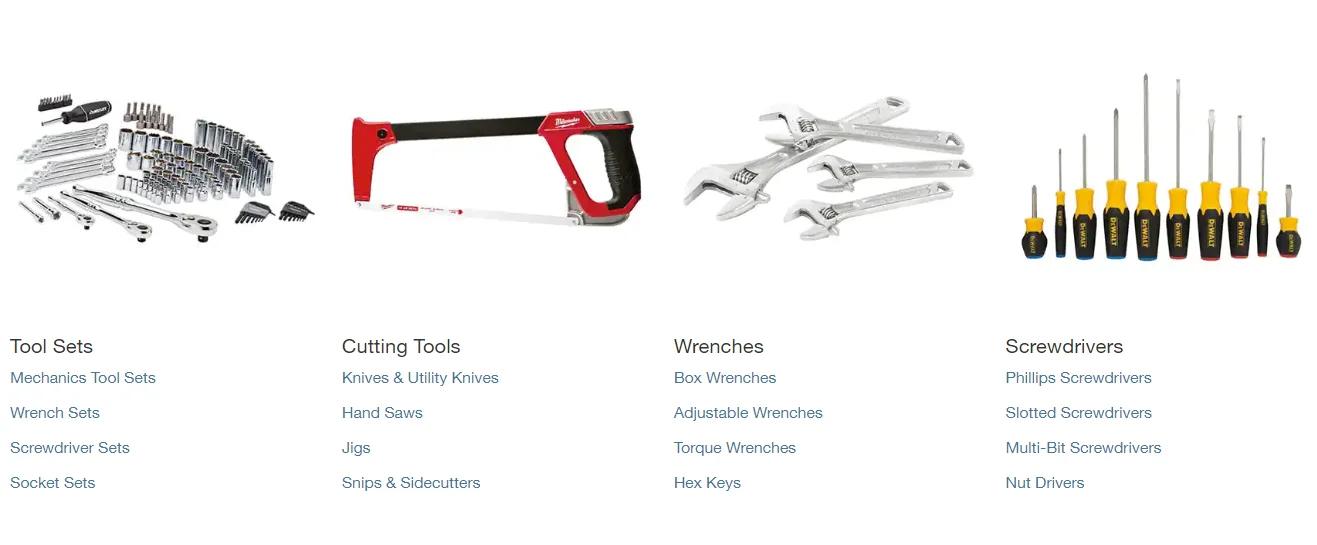
For instance, many tools for new homeowners for all types of DIY projects, along with home accents, kitchenware, small appliances, seasonal essentials, and more, can be ordered for curbside pickup.
However, remember that you may have to wait for out-of-stock items since they’ll have to be shipped to your local store first.
Furthermore, big kitchen appliances and furniture pieces, like dishwashers, refrigerators, and patio furniture, are generally only offered for delivery. For these items, you can look in your cart for delivery choices and choose the method and time of delivery that suits your needs.
How long do curbside pickup orders take to process?
Most curbside pickup orders are processed and ready for collection within a few hours from the time of purchase.
However, Home Depot recommends that you allow for extra processing time since assembly times can differ depending on the size of the order, and sometimes a high volume of orders can cause delays.
Therefore, if you have a big home improvemen project coming up over the weekend, be sure that you get the items you need during the week so that you’re ready ahead of time.
Can someone else pick up your order for you?
Yes, someone else can pick up your order for you.
When placing your order, you can add another person’s name as an alternative pickup person. If you didn’t add them before making your order, you can call Home Depot's online shopper support for assistance.
Be sure to inform your pickup person that they need to take their ID with them when collecting your items.
Can you return items that you ordered through Home Depot curbside pickup?
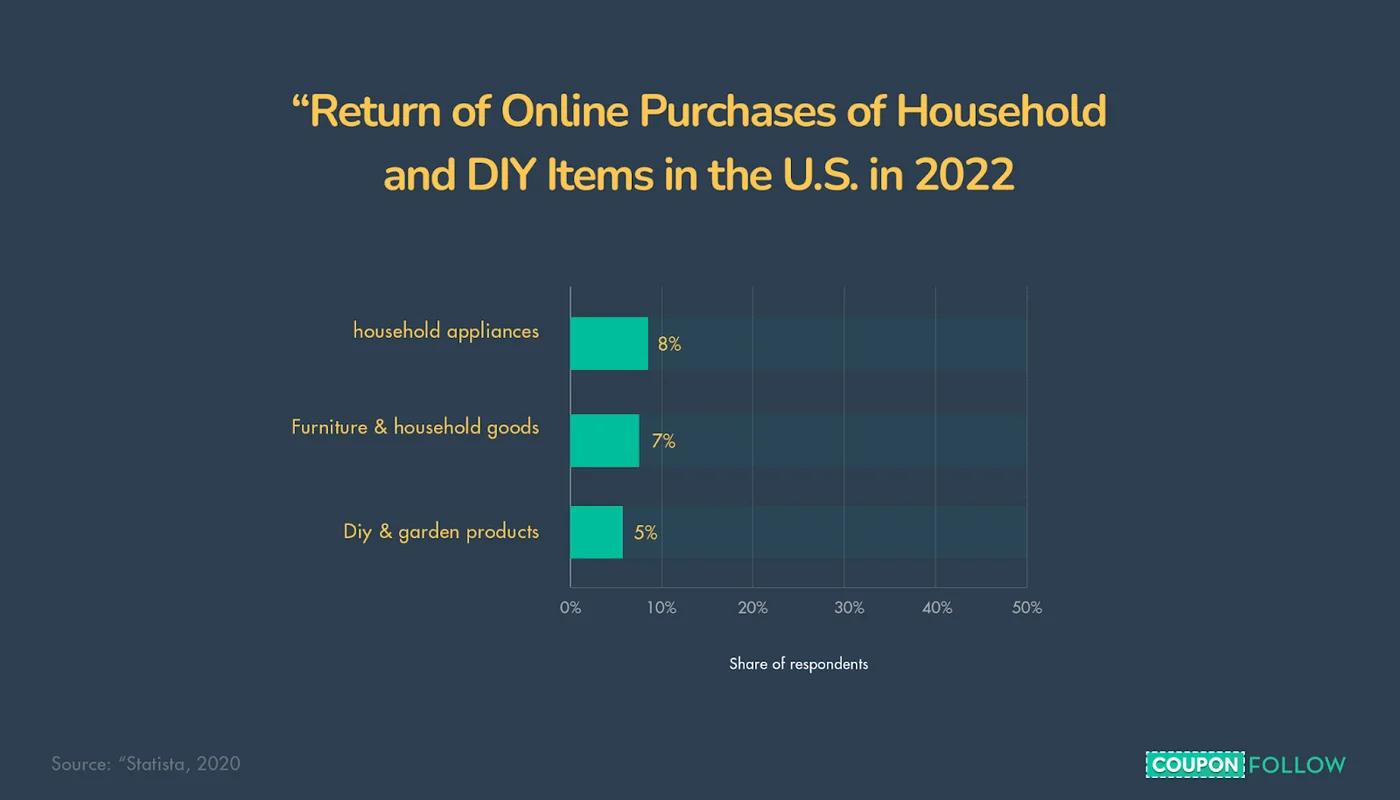
In 2022, 8% of U.S. online consumers said that they returned household appliances in the past 12 months. Furthermore, 7% said that they returned furniture, and 5% said they returned DIY and garden items.
There’s always a chance that you may want to return broken or unwanted items.
Luckily, Home Depot allows you to return items that were purchased through their curbside pickup service.
All you have to do is take your items back to Home Depot with your receipt or shipping confirmation email, the credit card you used for your purchase, and your ID. You’ll get your money back via your original payment method, or you can choose to exchange the item for something else.
If you don’t have time to go to the store, you can return your item online by clicking the “Return Item” button. Items eligible for online return will receive a shipping label via email that you can attach to your package. Drop the package off at the nearest UPS Access Point location.
Ways to keep more cash with Home Depot curbside pickup
Here are four great ways you can keep more cash with Home Depot curbside pickup.
1. Use coupons
Coupons offer a great way for you to save plenty of money on your online orders — often giving you anywhere from 10–50% off.
Find Home Depot coupons here.
Once you have a valid code, you can enter it before checking out. To enter a discount code, you can simply click on the “Have a discount code” link beneath the order total and enter your code in the bar.
2. Sign up for Home Depot’s email list
When you sign up for the business’s email list, you’ll get a $5 discount on your next in-store or online purchase.
After signing up, you’ll also receive occasional promotion emails that’ll give you:
- Useful home-improvement tips
- DIY how-to-briefings
- In-store and online discounts for special promotions
- Invites for monthly DIY workshops on a wide variety of topics and workshops for kids that offer hands-on learning
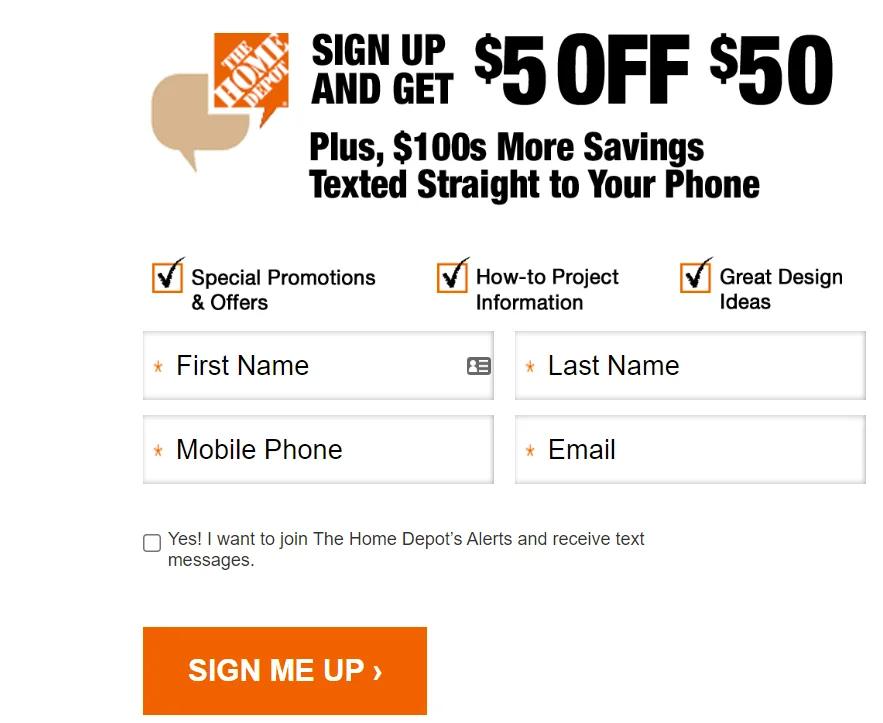
3. Sign up for text alerts
Home Depot’s text alerts will notify you whenever there are special discounts on select items in different departments.
(Image Source)
SMS texts will primarily be sent to you with offers for items in the select departments that you shop in the most.
However, you’ll sometimes get notifications of special offers in different departments as well — which is great if you like learning about new tools and their uses.
4. Take advantage of “Special Buy of the Day” deals
Much the same as Amazon's Lightning Deals, Home Depot also offers Special Buy of the Day deals where you’ll be able to find great offers on everything from grills, indoor plants, outdoor plants, pressure washers, electrical supplies, decor, vacuum cleaners, and more.
Some of these deals offer major discounts, with a recent deal cutting the price of smokers and grills by $50.
Like shopping on Amazon? Discover more than 50 interesting Amazon statistics.
Start applying Home Depot curbside pickup
Home Depot’s curbside pickup makes it so much more convenient to shop for all your home appliances and tools — without the fear of impulse buying.
Do you like shopping at Target along with Home Depot? Check out all the details of Target’s curbside pickup here.