
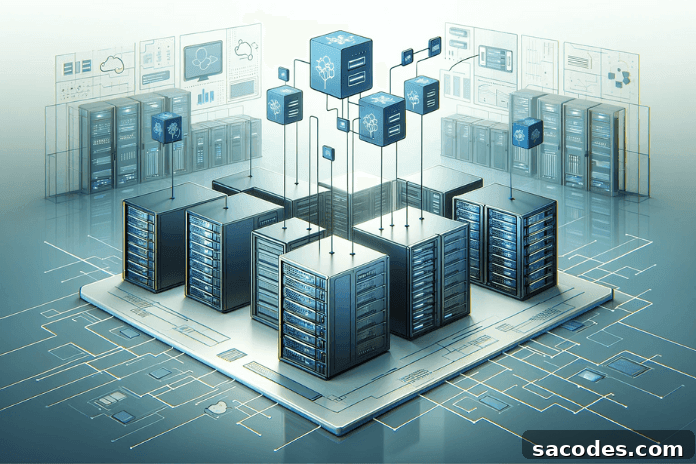
Server Virtualization Strategies and Applications
Server virtualization has become a cornerstone of modern data centers and IT infrastructures. This article explains the fundamentals of server virtualization, practical strategies for planning and deployment, best practices for management, and how organizations can maximize performance, security, and return on investment.
1. Fundamentals of Server Virtualization
Server virtualization allows the hardware resources of a single physical server to be divided among multiple virtual machines (VMs). A software or firmware layer called a hypervisor manages resource allocation and isolation. Virtualization improves hardware utilization, reduces costs, and increases the agility of IT operations.
- Virtualization types: Full virtualization, paravirtualization, and hardware-assisted virtualization provide different balances of compatibility and performance.
- Hypervisor role: The hypervisor enforces isolation, schedules CPU and memory, and manages I/O. Hypervisors can be Type 1 (bare-metal) or Type 2 (hosted).
2. Server Virtualization Strategies
Choosing the right virtualization approach depends on workload characteristics, performance needs, and operational goals.
- Full virtualization: Offers complete isolation and compatibility, useful for legacy systems and heterogeneous OS environments.
- Paravirtualization: Reduces overhead by enabling more efficient communication between guest and host, improving performance in supported environments.
- Hardware-assisted virtualization: Uses CPU and platform features to boost VM performance and simplify isolation.
- Strategy planning: Align virtualization strategy with business requirements, application SLAs, and capacity planning for successful deployment.
3. Hypervisor Selection and Management
Selecting a hypervisor is a strategic decision that affects licensing, tooling, ecosystem compatibility, and operational workflows. Popular hypervisors include VMware ESXi, Microsoft Hyper-V, and KVM (Kernel-based Virtual Machine).
- Licensing and cost: Evaluate license models, support contracts, and total cost of ownership when choosing a hypervisor.
- Management ecosystem: Consider management consoles, automation APIs, backup and monitoring integrations, and vendor support.
- VM lifecycle management: Standardize VM templates, configuration baselines, and automation for provisioning, patching, and decommissioning.
4. Virtual Machine Management
Effective VM management is essential to maintain performance, security, and operational efficiency.
- Resource allocation: Right-size CPU, memory, and storage for each VM and use quotas, reservations, and limits to prevent resource contention.
- Policies and governance: Define policies for security, backup, patching, compliance, and disaster recovery specific to virtual environments.
- Monitoring and optimization: Continuously monitor resource utilization and tune VM workloads using performance metrics and alerts.
5. Performance and Scalability
Virtualization enables flexible scaling and often improves resource utilization, but achieving consistent performance requires planning.
- Load balancing and auto-scaling: Use dynamic resource allocation, orchestration, and load balancing to adapt to demand and maintain SLAs.
- High availability and disaster recovery: Design VM failover, replication, and snapshot strategies to minimize downtime and data loss.
- Resource management: Implement NUMA-aware placement, storage tiering, and network optimization to reduce latency and increase throughput.
6. Security and Compliance
Security in virtualized environments must cover both virtual and physical layers.
- Virtual network security: Segment and isolate networks using virtual firewalls, micro-segmentation, and secure overlay technologies.
- Data protection and compliance: Apply encryption, access controls, audit logging, and retention policies to meet regulatory requirements.
- Risk management: Define secure configuration baselines, vulnerability management, and incident response processes tailored to virtual environments.
7. Cost Management and ROI
Virtualization can reduce capital and operational expenses, but organizations should measure outcomes to validate investments.
- Total Cost of Ownership (TCO): Account for hardware consolidation, energy savings, software licenses, and management costs.
- ROI analysis: Evaluate gains from increased utilization, faster provisioning, reduced downtime, and operational efficiencies.
- Optimization: Continuously review VM sprawl, orphaned resources, and rightsizing opportunities to control costs.
8. Use Cases and Case Studies
Real-world implementations illustrate how virtualization drives efficiency across industries. Common use cases include server consolidation, test and development environments, multi-tenant hosting, and business continuity setups.
- Industry-specific deployments: Tailor virtual architectures for finance, healthcare, e-commerce, and other sectors with specialized compliance and performance needs.
- Innovation impact: Virtualization accelerates deployment cycles, enables infrastructure-as-code, and supports hybrid cloud integrations.
9. Future Trends and Developments
The future of server virtualization is shaped by convergence with cloud platforms, containers, and intelligent automation.
- Cloud and container integration: Hybrid and multi-cloud strategies, plus container orchestration, will complement traditional VMs.
- AI and automation: Machine learning-driven optimization and automated operations will improve resource allocation, anomaly detection, and capacity forecasting.
Conclusion and Strategic Recommendations
- Best practices: Align virtualization choices with workload needs, establish governance and security standards, and automate repeatable tasks.
- Continuous improvement: Monitor performance and costs, adopt newer technologies where beneficial, and iterate on architecture and processes.
Server virtualization underpins modern IT infrastructure, providing flexibility, improved utilization, security, and cost savings. With the right strategy, tooling, and governance, virtualization enables businesses to optimize operations and maintain a competitive edge.
Server Design and Architecture: The Foundation of Modern IT
1. Server Architecture Fundamentals
- Evolution of server architectures: From early dedicated machines to today’s distributed and virtualized platforms.
- Hardware components: CPU, RAM, storage systems, NICs, and power supplies—selection based on workload and performance targets.
2. Server Types and Use Cases
- Physical vs. virtual servers: Trade-offs in performance, isolation, and management; when to use each.
- Purpose-built servers: Web, application, and database servers with architecture tuned for their roles.
3. Hardware Selection and Configuration
- Selection criteria: Match hardware choices to workload, latency, throughput, and scalability requirements.
- High-performance configurations: Use of multi-core CPUs, NVMe storage, and accelerated networking for demanding applications.
4. Operating Systems and Server Software
- OS choices: Windows Server, Linux distributions, and UNIX variants—each with strengths for particular workloads.
- Management software: Monitoring, automation, and orchestration tools that simplify operations and standardize processes.
5. Network and Data Center Integration
- Server-network integration: Design for redundancy, latency minimization, and secure connectivity.
- Data center considerations: Proper rack layout, cooling, power distribution, and capacity planning.
6. Security and Compliance
- Server security strategies: Physical security, hardening, identity and access management, and encryption.
- Standards and compliance: Implement measures that support ISO, GDPR, and other relevant regulatory frameworks.
7. Scalability and Flexibility
- Modular designs: Build systems that scale horizontally or vertically as demand changes.
- Scaling strategies: Use elastic infrastructure and orchestration to meet peak loads efficiently.
8. Performance Optimization and Benchmarking
- Key metrics: Monitor CPU, memory, disk I/O, and network throughput to guide tuning.
- Benchmarking: Regular performance testing validates configuration choices and identifies bottlenecks.
9. Energy Efficiency and Sustainability
- Design for energy efficiency: Optimize cooling, power usage, and component selection to reduce environmental impact.
- Green IT practices: Adopt sustainable procurement and operations to lower carbon footprint.
10. Cloud Computing and the Future of Server Technologies
- Rise of cloud-native architectures: Hybrid approaches and managed services influence server design choices.
- AI and automation: Increasing use of intelligent systems for predictive maintenance and automated resource optimization.
11. Disaster Recovery and Redundancy Planning
- Recovery strategies: Define RTO and RPO goals, replication topologies, and failover procedures.
- Backup and continuity: Implement robust backup, snapshot, and off-site replication practices.
12. Maintenance and Operations
- Maintenance routines: Regular updates, firmware management, and preventive checks to ensure reliability.
- Remote management and automation: Use management interfaces and automation to reduce manual tasks and errors.
13. Customization for User Needs
- Tailored server solutions: Design systems to meet specific performance, compliance, and workload requirements.
- Industry-specific architectures: Customize deployments for healthcare, finance, manufacturing, and other verticals.
14. Conclusion and Vision
- Strategic outlook: Emphasize flexible, secure, and sustainable server architectures to support future business demands.
- Role of emerging technologies: Continue evaluating cloud, containers, AI, and edge computing as drivers of architectural evolution.
Server design and architecture are central to building reliable, scalable, and cost-effective IT platforms. For organizations seeking tailored infrastructure, explore our dedicated server solutions to meet your performance and compliance needs: best server options.